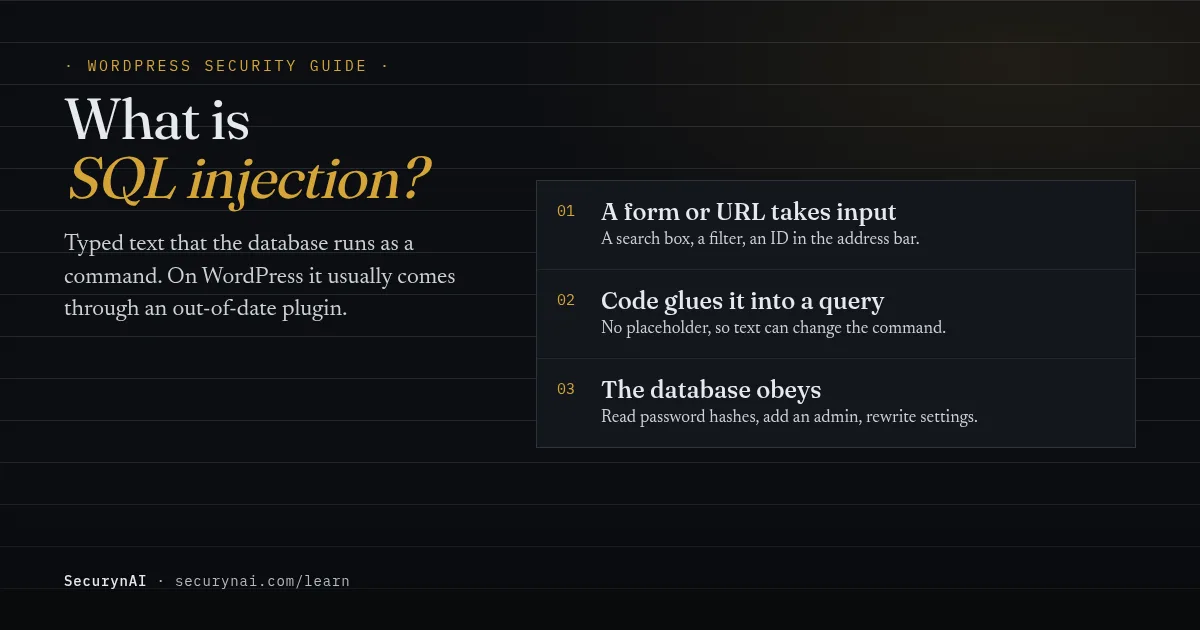
SQL injection is a flaw where text a visitor types, into a search box, a form or a web address, ends up being run by your database as part of a command. On a WordPress site, that usually happens through a plugin with a bug, and it can hand an attacker your whole database.
If you're here because a log or an alert mentioned SQL injection, here's the safe first step. Don't delete anything yet. Check that WordPress and every plugin are up to date, and look at your Users screen for administrators you don't recognise. Those two checks answer most of the question. The rest of this guide explains why.
How SQL injection works, in plain English
Your database only does what it's told, and SQL injection lets a visitor do some of the telling. SQL is the language WordPress uses to ask its database for posts, check a login or save a setting. Normally, anything a visitor types is treated as data: a word to search for, never an instruction.
The flaw appears when a plugin builds a database command by gluing the visitor's text straight into it. If that text contains a quote mark and some SQL of its own, the database can't tell where the plugin's command ends and the visitor's begins. So it runs both.
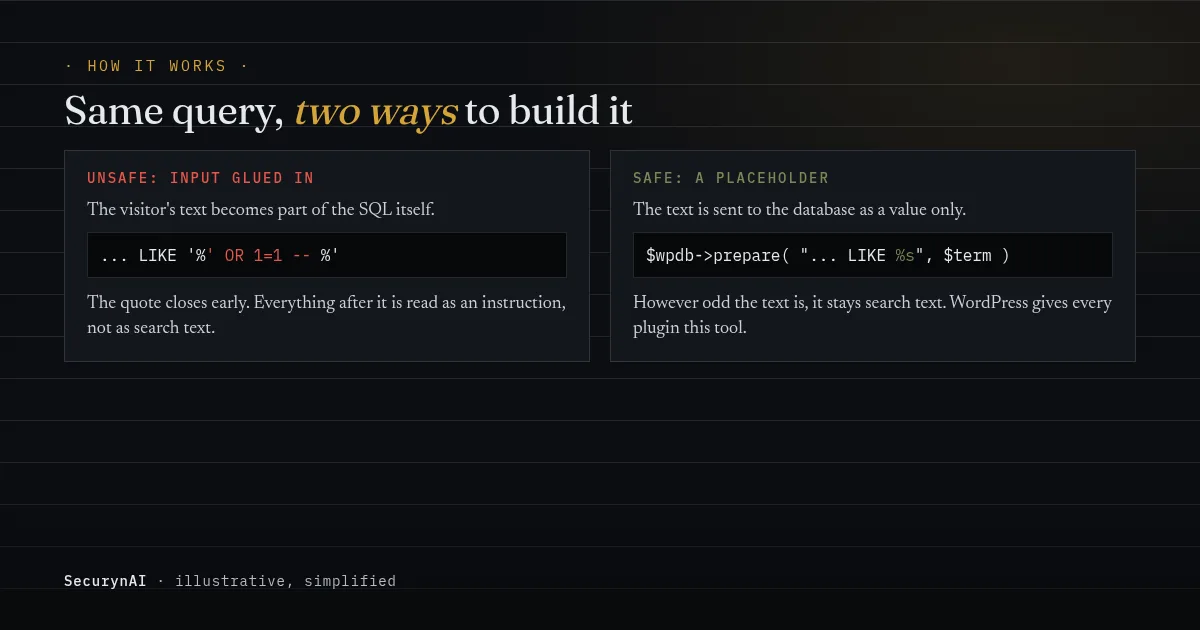
Here's a simplified, illustrative version of the unsafe pattern and the safe one. You don't need to read code to follow the idea: the first glues text in, the second hands it over separately.
// Unsafe: the search text becomes part of the SQL
$wpdb->get_results( "SELECT * FROM $wpdb->posts WHERE post_title LIKE '%$term%'" );

// Safe: the search text is passed as a value
$like = '%' . $wpdb->esc_like( $term ) . '%';
$wpdb->get_results( $wpdb->prepare( "SELECT * FROM $wpdb->posts WHERE post_title LIKE %s", $like ) );
WordPress has offered the safe tool for years. Its developer reference describes $wpdb->prepare() as preparing "a SQL query for safe execution," with placeholders for strings, numbers and, since WordPress 6.2, table and column names. The bug almost always comes from code that skips it.
Why SQL injection on a WordPress site is so serious
Your WordPress database isn't some of your data. It's nearly all of it. Posts, pages, every user account and its password hash, plugin settings and the options that control how the site behaves all live there. A flaw that lets someone read or write that database usually hands over the whole site.
In practice, attackers use it to:
- Read password hashes from the users table, then try to crack them offline, where no login limit slows them down.
- Add an administrator by writing a new account straight into the database, skipping the login form, password resets and any two-factor check.
- Rewrite settings and content, for example changing the site address or adding spam links to posts.
A real example: the WP-Automatic plugin, 2024
The WP-Automatic content plugin had an SQL injection flaw, CVE-2024-27956, in every version through 3.92.0. The NVD record scores it 9.8 out of 10, and Patchstack, which reported it, scores it 9.9. Version 3.92.1 fixed it.
Attackers moved fast. WPScan reported in its April 2024 write-up that it had "logged 5,576,488 attack attempts" after public disclosure on March 13, 2024. Attackers used the flaw to "create new admin-level user accounts," then uploaded backdoors. Some even renamed the vulnerable file so other attackers couldn't use it.
That's the pattern to remember: the fixed version was already out, so sites that had updated to 3.92.1 weren't exposed to this flaw.
Is SQL injection only a plugin problem?
Mostly, yes, but WordPress core isn't immune. Core's own queries get heavy review, so most SQL injection flaws turn up in plugins and themes. Patchstack's State of WordPress Security in 2026 counted 11,334 new WordPress vulnerabilities in 2025, with 91% in plugins and 9% in themes.
The same report found that "46% of vulnerabilities did not receive a patch by the time of disclosure." So updating isn't always enough on its own. Sometimes there's nothing to update to yet, and removing or replacing the plugin is the safer move.
Core had its own case this year. The WordPress 7.0.2 release on July 17, 2026 fixed two issues, including "a REST API batch-route confusion and SQL injection issue leading to Remote Code Execution." Fixes went out as 7.0.2, 6.9.5 and 6.8.6, and WordPress.org forced the update through automatic updates for affected sites.
The US cybersecurity agency CISA added that flaw, CVE-2026-63030, to its Known Exploited Vulnerabilities catalog on July 21, 2026, meaning it has evidence of attacks in the wild. If your site is on 6.8 or later, check that it's on one of those fixed versions or newer.
Blind SQL injection: no error message doesn't mean safe
Not every SQL injection flaw breaks the page or shows a database error. In blind SQL injection, the page looks the same either way. The attacker asks the database yes-or-no questions, such as whether a password hash starts with a certain letter, and watches for a small difference or a delay in the reply.
It's slower, but automated tools do the asking, so it's just as complete. Site owners sometimes hear about it from a security audit. In one WordPress.org thread, an owner posted audit results flagging a plugin, and the developer's eventual answer was that the issues "will be resolved" in the next major version. That's the usual path: report, fix, update.
Seen "union select" or "OR 1=1" in your logs? What it means
A probe in your logs is an attempt, not proof of a break-in. Bots send SQL injection payloads to huge numbers of sites, mostly at plugins that aren't even installed. What matters is whether the request reached vulnerable code and worked.
This question has been asked for years. In a WordPress.org thread titled "Are these SQL-injection attacks?", the advice was simple: "Examine your server logs. Search for that particular IP and see what the server logs say." Here's how to read what you find.
| What you see | What it likely means | Do this |
|---|---|---|
| Probes for a plugin you don't have | A bot scanning everyone | Nothing urgent |
| Probes aimed at a plugin you do have | Someone testing a known flaw | Update or remove that plugin today |
| An admin account you didn't create | The site may be compromised | Treat it as a hack |
| Site address, posts or settings changed | The database was written to | Treat it as a hack |
If either of the last two rows applies, back up the site as it is now, then follow our guide to removing WordPress malware. Our guide to a new admin user you didn't create covers that sign on its own. Deleting the account alone rarely closes the door the attacker used.
How to protect a WordPress site from SQL injection
Updates do most of the work. Everything else narrows what's left. In order of impact:
- Keep core, plugins and themes updated. Turn on automatic updates for plugins you trust, or check weekly. Our guide to automatic updates covers the trade-offs.
- Remove plugins you don't use. A deactivated plugin's files are still on the server. Deleting it removes them, and with them any doubt.
- Find out when a plugin you run has a known flaw. A vulnerability feed or alert service tells you the day it's published, not weeks later. Our guide on how to read a CVE explains the scores.
- Put a firewall in front as a second layer. It can block common payloads while you update. Our guide on whether you need a WAF explains the types.
- Give the database user only what WordPress needs. OWASP's SQL Injection Prevention Cheat Sheet advises keeping database privileges to a minimum "to minimize the potential damage." Your host usually sets this up.
When a plugin has a reported flaw, the update usually is the fix. In another WordPress.org thread, a user flagged that a plugin was listed as vulnerable to SQL injection, and the developer replied, "The security issue has been resolved in version 1.4.7+".
If you write or commission custom code
OWASP lists prepared statements as the first defence and strongly discourages relying on escaping alone. In WordPress, that means every visitor value goes through a $wpdb->prepare() placeholder, LIKE searches use $wpdb->esc_like(), and column names chosen by a visitor are checked against a fixed list. Ask your developer to confirm all three.
What SecurynAI does about SQL injection, and what it can't
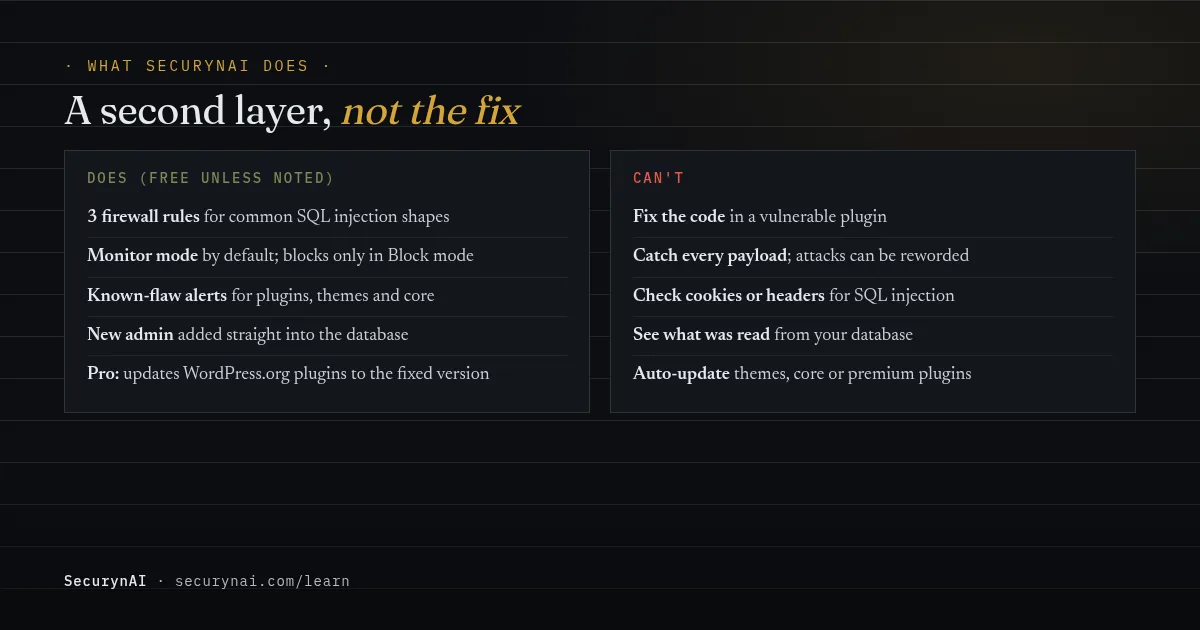
We at SecurynAI treat our firewall as a second layer, not the fix. The only real fix for an SQL injection flaw is updated code. Here's exactly what the plugin does around that, and where it stops.
The free firewall's SQL injection rules
The free firewall checks every request against 13 attack patterns. Three are for SQL injection:
- SQL UNION SELECT (critical): the trick used to pull extra data, such as user tables, into a page.
- SQL boolean tautology (high): always-true clauses like "OR 1=1" used to skip a check or return every row.
- Stacked SQL query (critical): a second command after a semicolon, such as one that drops or alters a table.
The rules read the values in the web address and in form or JSON submissions, as the visitor sent them, so quoted tricks like ' OR '1'='1 reach the rules intact.
The rules don't read cookies or request headers, and a payload written to avoid these patterns won't match. The firewall starts in Monitor mode, logging matches without blocking until you switch it to Block.
In Block mode, a matching request gets a "403 Forbidden" page. That applies to everyone, logged-in administrators included, so a post that quotes SQL could trip a rule. You can switch off a single noisy rule on the Firewall page.
By default, 10 matched requests from one IP within 15 minutes puts that IP on the blocklist for 15 minutes, with a high "Sustained attack" finding.

Known-flaw alerts and what happens after an attack
The free plugin also tells you when something you run has a known flaw. It checks your plugins, themes and WordPress version against the wpvulnerability.net feed every 4 days by default (you can set 1 to 30 days in Settings), and again after you update a plugin, a theme or WordPress itself.
Each alert is written in plain words. For an SQL injection advisory that needs no login, the built-in explanation reads: "Anyone on the internet, without logging in, could run unauthorized database queries that expose or alter your stored data." It names the version that fixes it when the advisory lists one.
Two free checks look for what an SQL injection attack leaves behind:
- A new administrator written straight into the database, rather than created through WordPress, raises a critical finding on the next daily scan, which checks every user.
- A change to the Site URL or Home address raises a high finding.
Email alerts for critical and high findings are off until you turn them on in Settings.
What Pro adds
On Pro ($79 per site per year), the Patch Queue ranks flaws by risk. Items in its "Fix now" band are handled automatically: a seeded rule updates a WordPress.org plugin to the fixed version without waiting for approval, unless you set it to wait. It snapshots the plugin first.
It rolls back if the update fails or leaves the plugin's main file broken. That check is shallow: it doesn't test whether the site still works. In practice, mostly critical flaws in plugins you have active reach the "Fix now" band. Themes, WordPress core and premium plugins aren't updated automatically; they show "Manual update required".
With your own AI key, Pro can also read part of a vulnerable plugin's code and flag patterns such as SQL injection, with file and line. That's a pointer for a developer, not a code audit.
Here's what neither version does. SecurynAI doesn't fix the flawed code inside a plugin, can't tell you what data was read from your database, and doesn't scan database content for injected spam. None of this replaces backups, updates or good hosting.
Quick check: is your site exposed to SQL injection?
- Is WordPress on 7.0.2, 6.9.5, 6.8.6 or newer?
- Are all plugins and themes on their latest versions?
- Have you deleted plugins you no longer use?
- Would you hear about a known flaw in a plugin within a few days?
- Can you name every administrator account on the site?
- Is a firewall logging or blocking attack patterns?
Six yeses is a solid baseline. A no on the first two is the one to fix today. If you'd like to go further, our WordPress hardening checklist is the next step.
SQL injection FAQ
I see "union select" in my logs. Was my site hacked?
Probably not. Bots send these probes to millions of sites, and most hit code that isn't vulnerable. Check that the plugin in the URL is up to date, then look for admin accounts you don't recognise. If both are fine, the attempt most likely failed.
Can SQL injection happen if I keep everything updated?
It's much less likely, but not impossible. A flaw can be exploited before a fix exists, and some plugins never get one. Updating quickly closes the window most attacks rely on, and removing plugins you don't use shrinks it further.
Does a firewall stop SQL injection?
A firewall can block requests that look like common SQL injection, which buys time while you update. It can't fix the flaw, and an attacker can reword a payload so it no longer matches a rule. Treat it as a second layer behind updates.
Does $wpdb->prepare() prevent SQL injection?
Yes, when every value from a visitor goes in through a placeholder. It doesn't help if a plugin glues text into the query before calling it, or builds table or column names from input. LIKE searches also need $wpdb->esc_like() for the search text.
Want to know the day a plugin you run gets a known SQL injection flaw, in plain English, and see the probes already hitting your site? The free SecurynAI plugin does both from the day you install it.
Install free →