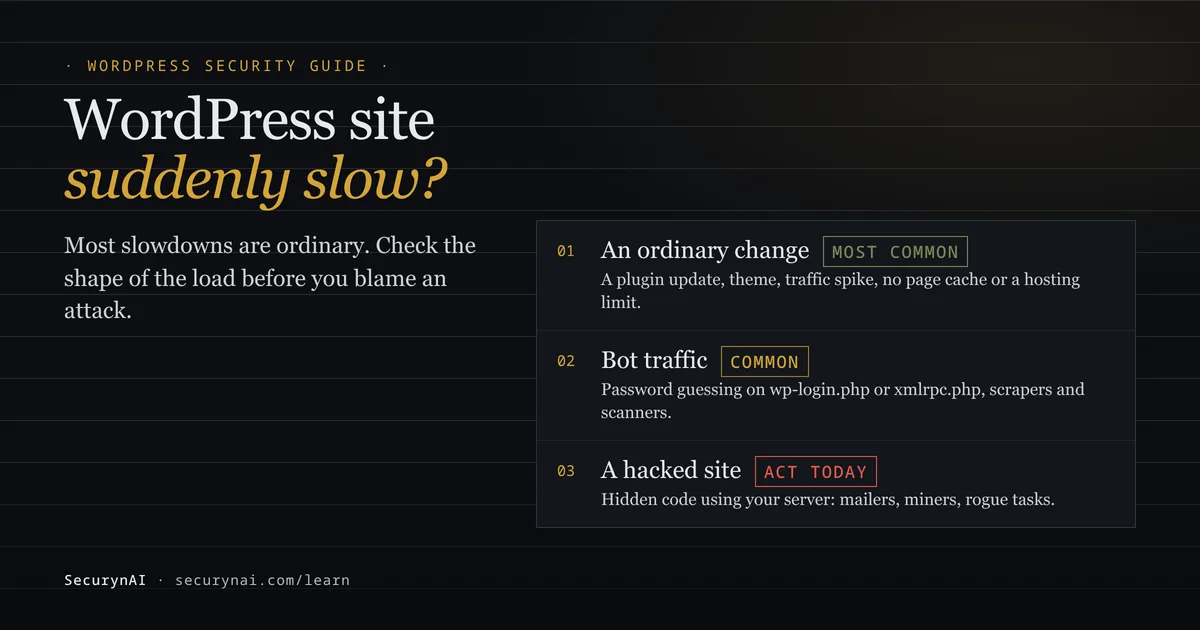
A WordPress site that's suddenly slow is a site whose pages take noticeably longer to load than they did days ago, without you choosing to change anything big. Usually the cause is ordinary. Sometimes it's bots hammering your login, and occasionally it's hidden code from a hack using your server.
Here's the safe first step. Don't delete plugins or upgrade your hosting plan yet. Open your host's resource or CPU graph for the last week and note when the slowdown started. That one chart, plus a look at what changed that day, points you at the right branch below.
Is a suddenly slow WordPress site a sign of a hack?
Usually not, and slowness on its own is weak evidence of an attack. These everyday causes explain most sudden slowdowns:
- A change you or a plugin made. A plugin update, a new plugin, a theme switch or a page builder layout.
- Hosting limits. On shared plans, your site can be throttled once it crosses its CPU or memory allowance.
- No page cache. Without one, WordPress rebuilds every page from the database on every visit.
- Heavy media or scripts. Full-size images, sliders and third-party widgets that load on every page.
- Real traffic. A sale, a newsletter or a post that got shared.
Updates are a common trigger. In a WordPress.org thread, an owner whose host kept taking the site offline for high CPU was told the likely cause was "a run away process or cron job being kicked off from one of your plugins." They later replied, "I have indeed found problems with plugins which I had updated."
How to tell an attack from an ordinary WordPress slowdown
The shape of the load tells you more than the speed does. Real visitors come in waves and spread across your pages. Bots and hidden code don't keep office hours. Work through these checks in order. None of them change anything on the site.
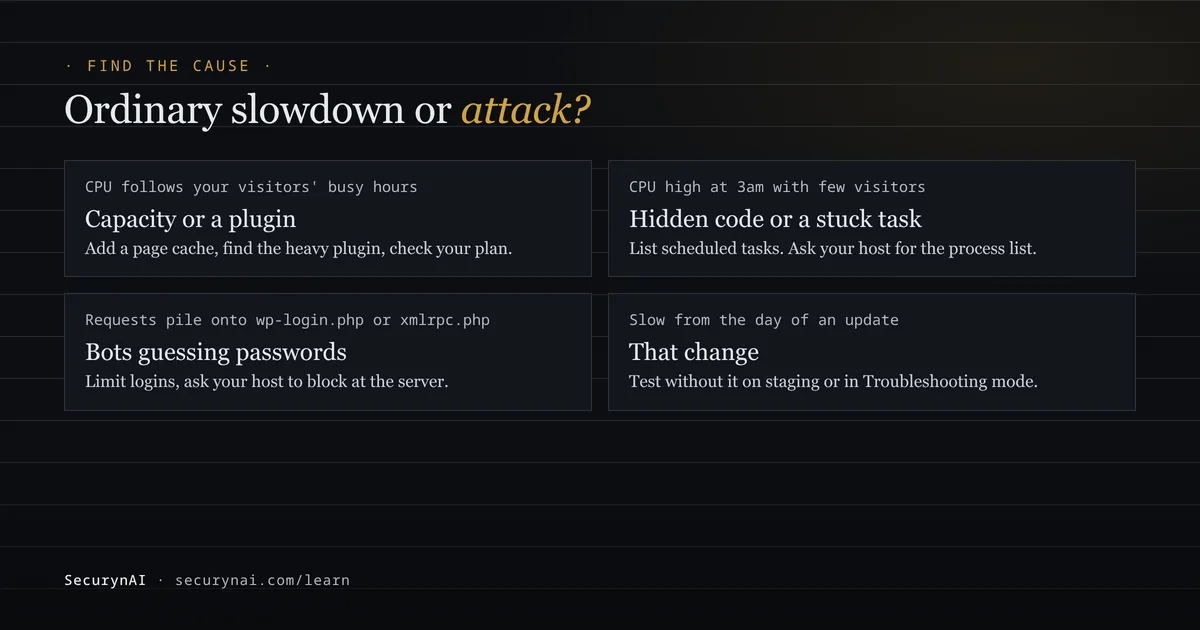
| What you see | Points to | Check next |
|---|---|---|
| CPU rises and falls with your visitors' busy hours | Capacity, caching or a heavy plugin | Page cache, plugin timing |
| CPU stays high at 3am with few visitors | A stuck task or hidden code | Scheduled tasks, host process list |
Most requests hit wp-login.php or xmlrpc.php | Bots guessing passwords | Access log, login protection |
| Slow from the day of an update or new plugin | That change | Roll back or test without it |
| Slow plus files, users or redirects you didn't add | A hacked site | Treat it as an incident |
1. Read your host's CPU graph by time of day
Most hosting dashboards show CPU and memory use. Load that follows your normal busy hours is a capacity or code problem. Flat, high load around the clock, including when nobody visits, means something runs whether or not anyone is browsing. Ask your host for the process list at that moment if you can't see it yourself.
2. Look at which URLs your access log shows most
Ask your host for the raw access log, or open it in the control panel. Real visitors spread across your posts, products and images. A wall of POST requests to wp-login.php, xmlrpc.php or admin-ajax.php from a handful of addresses is automated.
That pattern can take a site down. In one WordPress.org thread, the host's process list showed many PHP processes running wp-login.php, and a reply said it suggested "that someone was trying to brute-force a login." The advice was to check the access logs and harden the login page.
3. Check Site Health for page cache and response time
Go to Tools › Site Health. Since WordPress 6.1, a check looks at whether your site uses a full page cache and how fast the server responds. The announcement says it treats responses under 600ms as acceptable, and it only runs on production sites.
4. Find the slow plugin without breaking the live site
Back up first. Then use a staging copy, or the official Health Check & Troubleshooting plugin, whose Troubleshooting mode disables plugins and switches to a default theme "only for your user until you disable it or log out." Turn plugins back on one at a time and time the page.
For a closer look, Query Monitor (200,000+ active installs) shows database queries, including slow and duplicate ones, grouped by the plugin or theme responsible. It also lists outgoing HTTP requests with "response code, responsible component, and time taken."
5. List scheduled tasks
WordPress runs its scheduled tasks during page loads. The plugin handbook says WP-Cron works "by checking, on every page load, a list of scheduled tasks to see what needs to be run." With WP-CLI, this only reads:
wp cron event list --fields=hook,next_run_relative,recurrenceHooks you can't match to WordPress or a plugin you use are worth a closer look. Our guide to a rogue cron job covers what to do with one.
Security causes of a slow WordPress site, and what each looks like
When an attack is behind the slowdown, it's usually traffic you didn't invite or code you didn't install. Each leaves a different trace.
Bots and password guessing
Automated traffic is now the majority of the web. Imperva's 2025 Bad Bot Report found that automated traffic made up 51% of all web traffic in 2024, and malicious bots 37%. On a small site, bots hammering the login page or xmlrpc.php can use more CPU than your customers do.
Your host can often stop this sooner than any plugin. In another WordPress.org thread, a site went down at the same time daily with CPU at 100%. The reply suggested blocking the bots' addresses and asking the host, who "should be able to prevent that kind of attack."
Hidden code from a hack
Hacked sites are often put to work. Sucuri's 2023 Hacked Website Report, covering 39,594 sites its team cleaned, found mailers on 5.79% of compromised websites. Others run cryptominers, spam pages or scripts that call out to other servers. All of these use CPU your visitors never asked for.
Signs that point this way are CPU that stays high overnight, PHP files you didn't add, outbound requests to domains you don't recognise and admin users you didn't create. Our guide to the signs of WordPress malware walks through each one.
What to do about a slow WordPress site, for each cause
Fix the cause you found, not the one you fear. Upgrading hosting doesn't remove a miner, and a malware scan won't add a page cache.
- Ordinary cause. Add page caching, compress images, remove plugins you don't use and roll back or replace the one that got slower. If real traffic has grown, a bigger plan is a fair fix.
- Bots on login or xmlrpc. Limit login attempts, turn off XML-RPC if nothing you use needs it, and ask your host about blocking at the server or a CDN. Our guide to securing the WordPress login page covers the options.
- A hacked site. Back up first, as the site is now. Then follow our guide to removing WordPress malware. Deleting the one file you found is rarely enough.
One honest limit applies to every security plugin, ours included. A plugin firewall runs inside WordPress, so each request it turns away has already loaded WordPress. It stops attack patterns and password guessing, but it can't make a large flood cheap. A firewall in front of the site does that, as our guide on whether you need a WAF explains.
Patching closes the usual way in. Patchstack's State of WordPress Security in 2026 counted 11,334 new WordPress vulnerabilities in 2025, and 91% of them were in plugins.
Can a security plugin slow your WordPress site down?
Yes, any plugin can, so it's fair to ask what ours costs. We at SecurynAI would rather you know exactly what runs on your site and when.
- On every request, the free firewall looks up the visitor's IP in a small indexed blocklist table and checks the request against 13 attack patterns. It writes to the database only when a request matches, or when a login fails.
- Once a day, the file and malware scan runs as a background job through Action Scheduler. It checks files in chunks of 500 per job, with only one chunk running at a time, and the uploads folder is walked one top-level folder per job.
- Background jobs ride on WordPress's scheduled tasks. Action Scheduler's documentation says it processes actions "for a maximum of 30 seconds in each request" and runs "only one concurrent batch of actions" by default.
If you suspect SecurynAI or any other plugin, test it the same way as the rest: switch it off in Troubleshooting mode or on staging and time the page. Numbers beat guesses.
What SecurynAI shows about an attack-driven slowdown, and what it doesn't
SecurynAI doesn't measure speed. Neither the free plugin nor Pro tracks page load time, server response time, CPU or memory. What it can show is the security activity that sometimes sits behind a slowdown.
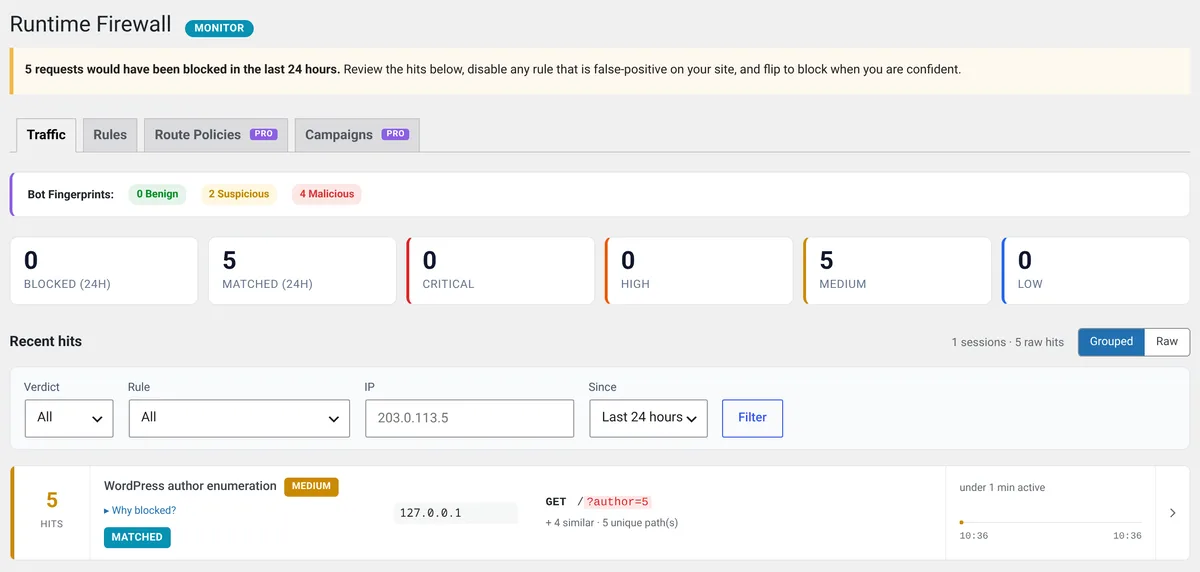
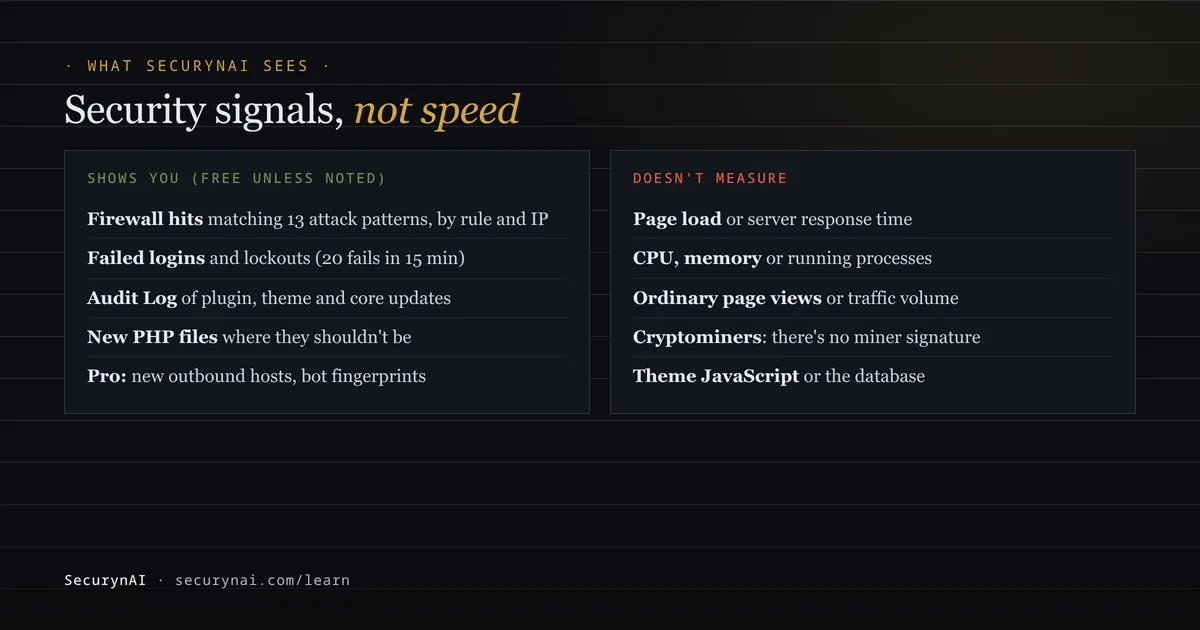
In the free plugin:
- Firewall Traffic tab. Matched and blocked requests in the last 24 hours, grouped by rule and IP. It counts only requests that match one of the 13 attack patterns, not ordinary page views. The firewall starts in Monitor mode, logging matches without blocking until you switch it to Block.
- Login lockouts. 20 failed logins from one IP, or against one username, within 15 minutes locks that IP out of login for 30 minutes, in either mode. A lockout is a high finding. Lockouts within the same hour join that one finding, so a wave of bots gives one alert, not one per IP.
- XML-RPC cap. In Block mode, more than 30
xmlrpc.phprequests a minute from one IP are refused. - Audit Log. Plugin installs, updates and activations, theme switches and core updates, so you can line the slowdown up with what changed.
- File checks. PHP files in uploads, new PHP files in a plugin or theme whose version didn't change, and files WordPress didn't ship in its own folders. The daily malware scan checks PHP files under
wp-contentagainst 13 bundled signatures, with no live feed, and detects only.
Optional email alerts for critical and high findings, including lockouts, are off until you turn them on in Settings.
On Pro ($79 per site per year), the Behavior screen learns which outside hosts your site contacts through WordPress and flags new ones. The Traffic tab adds a count of suspicious and malicious bot fingerprints, and REST API routes can get per-route rate limits, enforced in Block mode.
Here's what neither plugin sees. There's no cryptominer signature, and nothing scans running server processes, programs outside WordPress, theme JavaScript or the database for miners. Your host's process list is the right tool there. None of this replaces backups, updates or good hosting.
Quick check: have you found why your site is slow?
- Does your host's CPU graph show when the slowdown started?
- Does the load follow your visitors, or stay high around the clock?
- Do the most-requested URLs in your access log look like real pages?
- Did a plugin, theme or core update land the same day?
- Does Site Health show a page cache and an acceptable response time?
- Are all scheduled tasks ones you can name?
If you can answer all six, you know which branch you're on. A no on the second or sixth question is the one most worth following up today. Once things are fast again, our WordPress hardening checklist is a good next step.
WordPress slow site FAQ
Can a hacked WordPress site be slow?
Yes. A mailer script, a hidden cryptominer, a rogue scheduled task or heavy bot traffic all use server resources your visitors never asked for. But slowness alone is weak evidence of a hack. Look for a second sign, like CPU that stays high at night or files you didn't add.
Will a security plugin stop bots from slowing my site down?
Only partly. A plugin firewall runs inside WordPress, so each blocked request still loads WordPress before it's turned away. It can stop password guessing and attack patterns, but a large flood is best stopped before it reaches WordPress, by your host or a CDN.
Is it safe to deactivate all plugins to find a slow one?
On a live site it can break checkout, forms and logins for real visitors. Back up first, and use a staging copy if you have one. The official Health Check & Troubleshooting plugin can disable plugins for your own session only, which is gentler.
Why is my WordPress admin slow but the front end fast?
Page caching usually speeds up what visitors see, but the admin area is never cached, so every plugin's admin code runs on each screen. A slow admin points at a heavy plugin, scheduled tasks running on admin page loads, or a busy database, more often than at an attack.
Want to see whether bots are hammering your login, or a strange PHP file has turned up, without reading raw logs? The free SecurynAI plugin shows both from the day you install it.
Install free →