A WordPress site sending spam emails is a site whose server, forms or mail accounts are being used to send mail its owner didn't write. Your host may have warned you, your domain may be on a blocklist, or your own order and password emails may have stopped arriving.
Here's the safe first step. Don't delete files or switch mail off yet. Ask your host, or anyone who received the spam, for one message with its full headers. That single message tells you whether your site sent it at all, and which of three very different problems you have.
Is your WordPress site really sending spam emails?
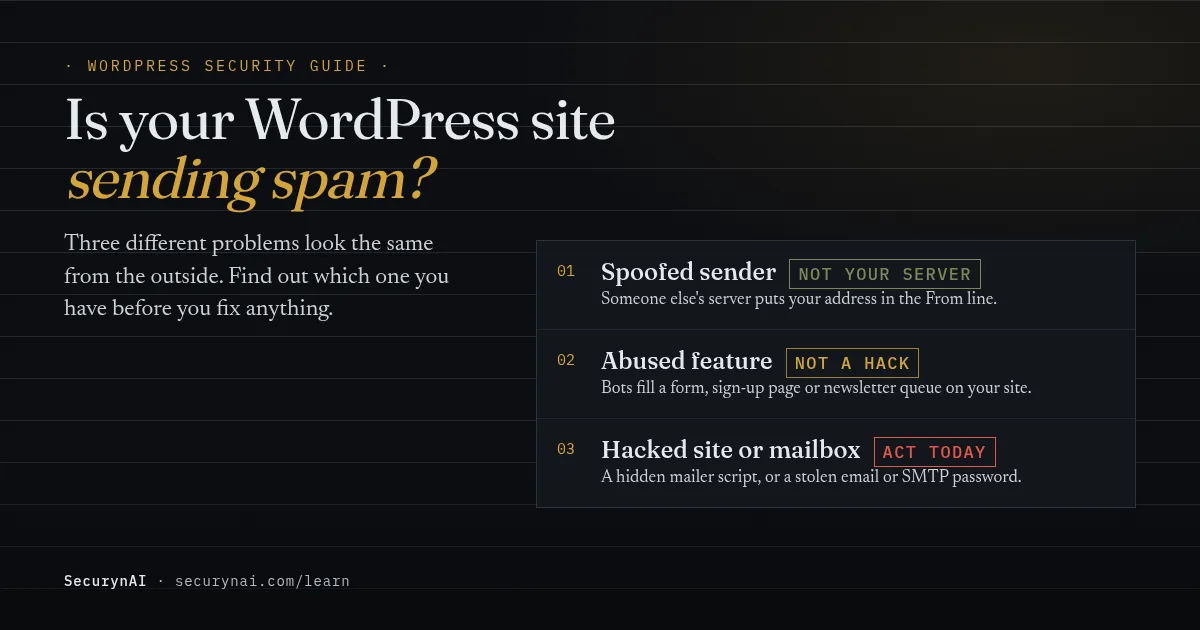
Three different problems look the same from the outside, and only one of them is a hack. Work out which one you have first, because the fix for each is different.
- Spoofing. Someone else's server sends spam with your address in the From line. Your site isn't involved.
- An abused feature. Bots fill your contact form, sign-up page or a plugin's mailing list, and your site dutifully emails every submission. Nothing was hacked.
- A hacked site or mailbox. An attacker added a mailer script to your files, or stole the password to an email or SMTP account.
Spoofing is the most common false alarm. When a site owner got a threatening email that appeared to come from their own address, a WordPress.org moderator replied in the forum thread that "sender forgery is unfortunately very simple" and the email itself wasn't worth much attention.
Real mailer infections do happen, though. Sucuri's 2023 Hacked Website Report, covering 39,594 sites its team cleaned, found mailers on 5.79% of compromised websites. It describes them as tools that "exploit server resources to send bulk emails from the infected domain."
How to tell spoofing from spam your server really sent
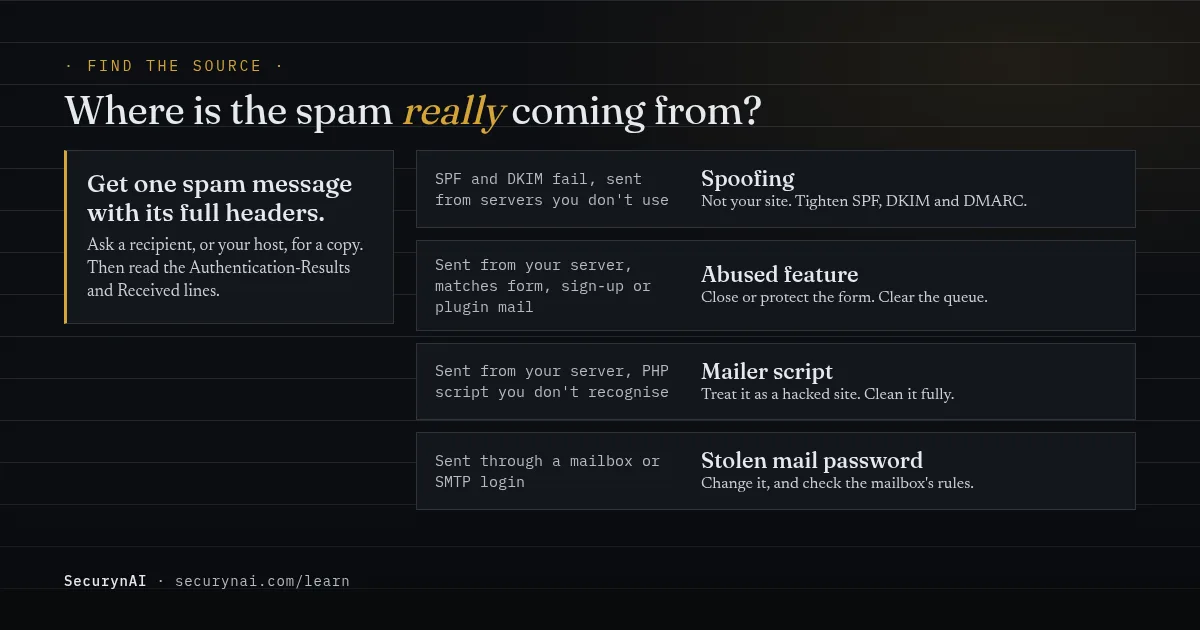
The message headers show which server sent it and whether it passed your domain's own checks. In most mail apps, look for "Show original" or "View source".
Two checks matter. SPF lets a domain list the servers allowed to send its mail, as the SPF standard (RFC 7208) puts it, it lets domains "explicitly authorize the hosts that are allowed to use their domain names." DKIM adds a signature only your real mail server can make. The Authentication-Results line shows the result of each.
| What the headers show | What it probably means | What to do |
|---|---|---|
| SPF or DKIM fail, sent from servers you don't recognise | Spoofing | Nothing to clean. Tighten SPF, DKIM and DMARC |
| Passed, sent from your web host's server | Your site sent it | Find which part of the site, below |
| Passed, sent through your email provider after a login | A mailbox or SMTP password was stolen | Change that password, check forwarding rules |
| No SPF result at all ("none") | Your domain has no SPF record | Add one, then check the sending server |
One caveat. If your domain has no SPF record, a spoofed message can't fail it, so the headers prove less. That's a good reason to set SPF, DKIM and DMARC up even if this turns out to be a false alarm.
How to find what's sending the spam on your site
If your server sent it, the next question is which part of the site, and the host's mail log is the fastest answer. Work through these in order. None of them change anything.
1. Ask your host which script sent it
PHP can stamp every message sent with its mail() function with the script that sent it. The PHP manual says the mail.add_x_header setting adds an X-PHP-Originating-Script header with the filename, and mail.log records "the full path of the script, line number, To address and headers." Both are off by default, so ask your host to check or enable them.
A path inside a theme or plugin you use points at that component. A path you've never seen, especially under wp-content/uploads, points at a planted script.
2. Log what WordPress itself sends
WordPress sends its own mail through a function called wp_mail(). A mail-logging plugin such as WP Mail Logging (300,000+ active installs) records each one: recipient, subject, body, headers and any error.
A clean mail log doesn't clear the site. A mailer script usually calls PHP's mail() directly or opens its own connection, and neither goes through wp_mail(). So the log is best at catching abused forms and plugins, and the host's log is better at catching planted scripts.
3. Check forms, sign-ups and mailing plugins
Bots abuse anything that sends an email when a stranger fills it in. Look at your contact forms' recent entries, any newsletter or mailing-list plugin's queue, and new user accounts. With WP-CLI, these commands only read:
wp option get users_can_register
wp user list --role=subscriber --fields=ID,user_login,user_email,user_registered
A 1 means anyone can register, and every sign-up sends emails. A long run of recent accounts with random names is bot sign-ups. In one WordPress.org thread, an owner flooded with bogus registration emails was told to uncheck "Anyone can register" in Settings.
Legitimate plugins can cause it too. In another thread, a site was blocked after a newsletter plugin queued about 240,000 emails. The plugin's author suggested asking the host about its sending limits.
4. Look for files that shouldn't be there
If the host's log points at a script, or nothing above explains the mail, look for PHP files that don't belong:
find wp-content/uploads -name "*.php"
find wp-content -name "*.php" -mtime -14
The first lists PHP files in uploads, which should hold only media. The second lists PHP files changed in the last 14 days. Don't open unknown files in a browser, because that runs them. Also check scheduled tasks, since a rogue cron job can restart a mailer after you remove it.
Old, unpatched code is a common way in. In a WordPress.org thread, an owner found a default theme's file on an old site, set up in 2012, being used to send spam. A moderator replied, "If you don't upgrade WP, you run the risk of being vulnerable to hacks like that."
How to stop WordPress sending spam emails, in the right order
Switching mail off stops the symptom, not the cause. If a script or an open form is the source, it starts again the moment mail comes back. Here's the order that works.
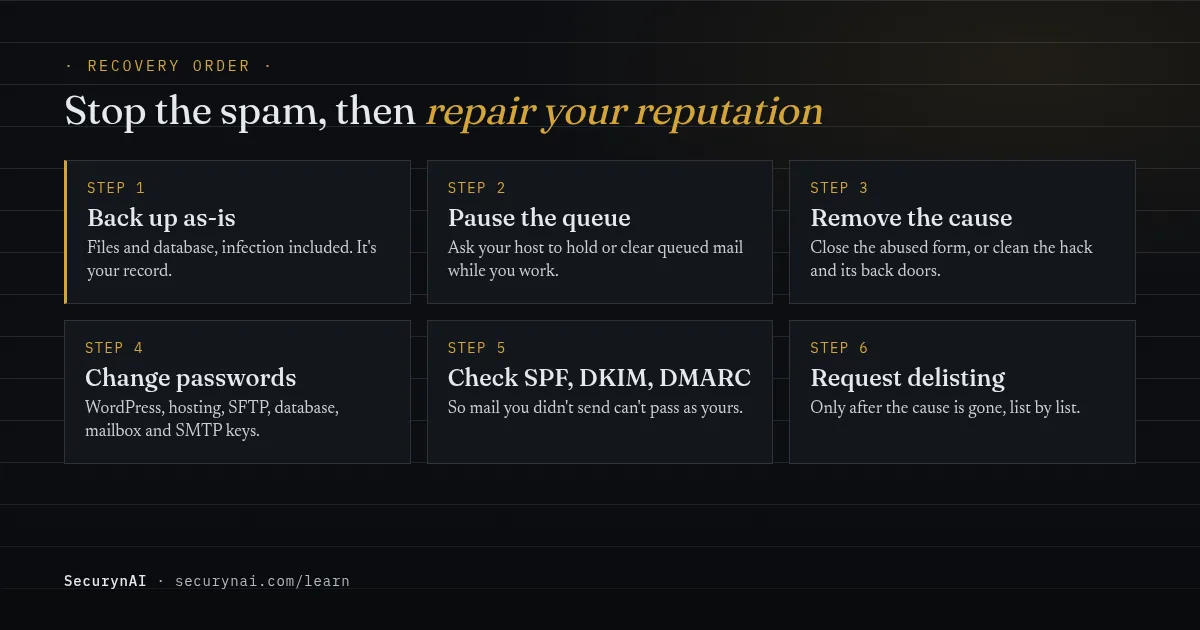
- Back up first, as the site is now. Files and database, infection included. It's your safety net and your record of what changed.
- Pause the queue. Ask your host to hold or clear queued mail. In one WordPress.org thread, spam kept going out after PHP
mail()was disabled, because messages were still waiting in the server's retry queue. - Remove the cause. For an abused form, close registration or add protection to the form. For a planted script, treat it as a hacked site and follow our guide to removing WordPress malware. Deleting the one file you found is rarely enough.
- Change every password. WordPress admins, hosting panel, SFTP, database, every mailbox on the domain, and any SMTP or email-service API key stored on the site.
- Update and remove what you don't use. Patchstack's State of WordPress Security in 2026 counted 11,334 new WordPress vulnerabilities in 2025, 91% of them in plugins. An outdated plugin is the likeliest way in.
Why clean so thoroughly? Sucuri's same report found at least one backdoor on 49.21% of the compromised sites it cleaned. A mailer is often the visible part. If you're not sure the site is clean, our guide to the signs of WordPress malware helps, and restoring from backup is an option if you know when the infection started.
If this is a client's site, tell them early and plainly what happened to their email. Our playbook on explaining a hack to a client has wording you can reuse.
Getting your email delivered again after a spam problem
Ask for delisting only after the cause is gone. Blocklists check again, and a site that's still sending spam goes straight back on.
If a bounce message names a blocklist, check your listing on that list's own site. Spamhaus, for example, lists a free reputation checker among its tools. If your server's IP is listed and you're on shared hosting, the IP belongs to your host, so ask them to handle it. Each list has its own removal process.
Then make your real mail easy to trust. Google's email sender guidelines have required every sender to Gmail to use SPF or DKIM since February 1, 2024. Senders of more than 5,000 messages a day need SPF, DKIM and DMARC. Google also asks senders to keep their reported spam rate below 0.3%.
Many hosts now restrict PHP mail() anyway. In a 2025 WordPress.org thread, a moderator said that "emails must be sent with SMTP authentication to ensure they reach the recipient safely." Authenticated sending helps your real mail arrive. It doesn't remove a mailer script, so it comes after the cleanup, not instead of it.
What SecurynAI notices about spam emails, and what it doesn't
We at SecurynAI want to be plain about this. Neither the free plugin nor Pro watches your outgoing email: it doesn't count messages, read a mail log or alert on a spike. Your host's mail log and the steps above stay your main tools.
What the free plugin can catch is the planted script behind a mailer infection, and the settings bots abuse:
- PHP files in uploads raise a high finding. Empty placeholder files are ignored.
- A new PHP file inside a plugin or theme whose version didn't change is reported as file drift. Core files and WordPress.org plugin files are checked against official checksums.
- A PHP file WordPress didn't ship in
wp-admin,wp-includesor the site root is listed as "not part of WordPress" on the daily core check, a high finding. A new PHP file elsewhere inwp-content, outside plugins, themes and uploads, isn't reported. - Changes to
.htaccess,.user.ini,php.iniorwp-config.phpraise a medium finding at the next daily scan, which matters because.user.inican load a hidden script before WordPress starts. Medium findings don't trigger an email. - A daily malware scan checks PHP files under
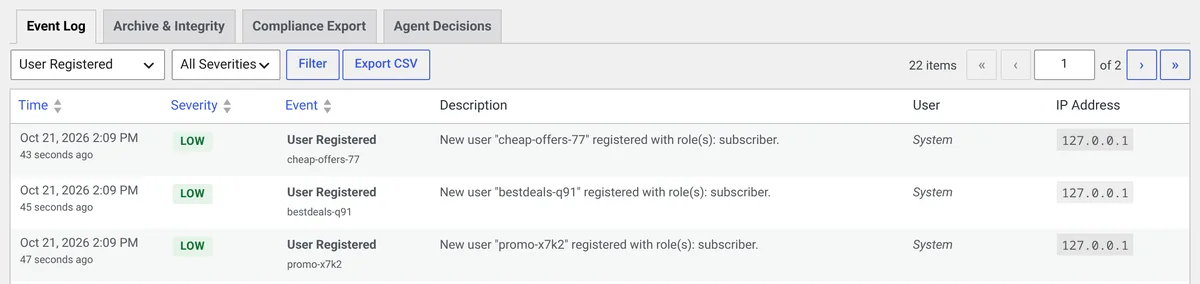
wp-contentagainst 13 bundled signatures, with no live feed, and flags high-confidence obfuscation like encoded code fed intoeval. It detects only. A plain, unobfuscated mailer may not match a signature, so the file checks above matter more. - The Audit Log records new user registrations and changes to the "Anyone can register", default role and admin email settings. The hardening checklist flags open registration.
Optional email alerts for critical and high findings are off until you turn them on. One honest catch: they're sent by your site's own mail, so if your host has blocked it, the alert won't arrive either. Check the dashboard while you sort out delivery.
On Pro ($79 per site per year), the Behavior screen learns which outside hosts your site talks to and flags new ones. It watches web requests made through WordPress, not email sent with mail() or SMTP.
Pro can also quarantine flagged files, with Undo. Quarantine waits for your approval by default. It won't move files of an installed plugin or the active theme.
None of this replaces backups, updates or a host that watches its mail servers.
Quick check: is the spam problem really fixed?
- Did you confirm, from the headers, that your server sent the spam?
- Do you know which form, plugin, script or mailbox sent it?
- Is the mail queue empty, and has your host confirmed it?
- Did you change every password, including mailboxes and SMTP keys?
- Are core, plugins and themes up to date, with unused ones removed?
- Does your domain have SPF, DKIM and DMARC records?
Six yeses means you're ready to ask for delisting. A no on the second question is the one most likely to bring the spam back. Our WordPress hardening checklist is a good next step once mail is flowing again.
WordPress spam email FAQ
Why am I getting bounce-backs for emails I never sent?
Usually because someone else is sending spam with your address in the From line, and the failures come back to you. That's spoofing, and it doesn't mean your site is hacked. Check one bounced message's headers: if it left from a server you don't use and failed SPF or DKIM, your site wasn't involved.
Will an SMTP plugin stop my WordPress site sending spam?
No. An SMTP plugin changes how WordPress's own mail is sent, which helps real mail arrive. A mailer script that calls PHP's mail() function, or a bot filling your form, keeps working. Fix the cause first, then use authenticated sending for your real mail.
Should I just disable PHP mail() on my server?
It's a reasonable stopgap while you investigate, and some hosts do it for you. But it doesn't remove the code or close the form being abused, and mail already in the queue can still go out. Treat it as a pause, not a fix.
Can a contact form send spam without my site being hacked?
Yes. Bots can fill a form or sign-up page thousands of times, and each submission makes your site send a real email. Nothing on the site was changed. Close or protect the form, clear the queue, and the problem stops.
Cleaned up a spam problem and want to know the day a strange PHP file turns up again? The free SecurynAI plugin starts checking your files from the moment you install it.
Install free →