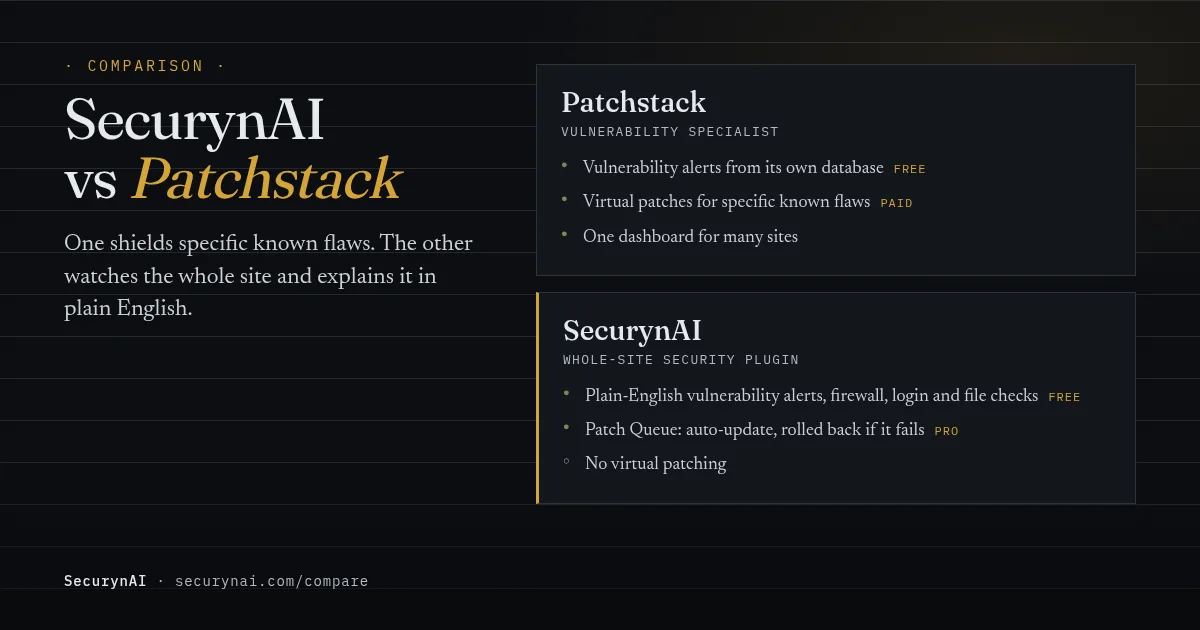
Short answer: Patchstack is a WordPress vulnerability specialist, and SecurynAI is a broader security plugin. Both send vulnerability alerts when a plugin, theme or core version has a known flaw. Patchstack's paid plans add virtual patching, which blocks attacks on that flaw before you update. SecurynAI adds a firewall, login protection, file and malware checks, and Pro can apply updates.
Most security comparisons are written by one of the two products, and this one is too. So here's how we kept it fair. Every Patchstack fact comes from Patchstack's own pricing page, docs or WordPress.org listing, checked in October 2026. Every SecurynAI claim was checked against our plugin's code, and where we fall short, we say so.
What is virtual patching, and why does it matter?
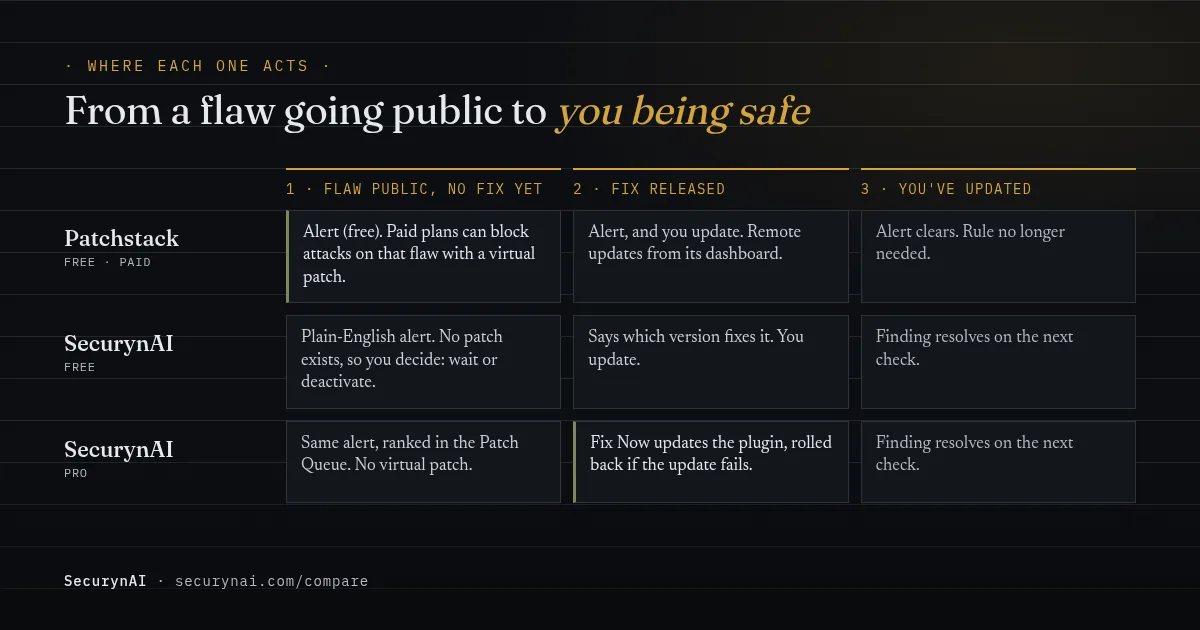
Virtual patching means blocking attacks on one known flaw at the request level, without changing the plugin's code, so a site stays protected until a real fix is installed. It's Patchstack's headline feature, and the main thing SecurynAI doesn't do. So it's worth knowing when it helps.
It helps most before a fix exists. According to Patchstack's State of WordPress Security in 2026 report, 46% of the 11,334 WordPress vulnerabilities found in 2025 "did not receive a fix from the developer in time for public disclosure." For heavily exploited flaws, the weighted median time to first attack was 5 hours.
That gap is real for site owners, not just researchers. In one WordPress.org support thread about Adminimize, a user wrote that the plugin "has been flagged by Patchstack and there is no official patch available." The support reply said the team was reviewing the report. Without a patch, your choices are to wait, to deactivate, or to shield it.
The same report tested hosting-level defences and found they "only blocked 12% of WordPress-specific vulnerability attacks." That's Patchstack's own test, so read it as their case for their product. Still, it's a fair reminder that a generic firewall isn't the same as a rule written for one flaw.
What Patchstack does well
Patchstack's strength is depth in one area: finding, publishing and blocking WordPress vulnerabilities. Its 2026 report describes it as "the leading vulnerability coordinator and publisher in the WordPress ecosystem," and it runs its own public vulnerability database. It has also been a CVE Numbering Authority since 2021, so it issues CVE IDs for the flaws it handles.
The free Patchstack plugin
The Patchstack plugin on WordPress.org has 70,000+ active installs and a 4.9 rating. Its FAQ says it "matches the installed plugins, themes, and WordPress core on your site" against Patchstack's database, and that the free version "focuses on vulnerability detection and notifications." It also promises "up to 48-hour early warning" for new flaws its research community finds.
Two limits are worth knowing. The same FAQ says "the free version does not include a firewall." And Patchstack's docs say the free Personal plan "comes with 3 site slots" in the Patchstack App, which is where you see alerts across your sites. Setup means registering there and pasting an API key into the plugin.
Paid plans and RapidMitigate
Patchstack's virtual patching is called RapidMitigate. Patchstack explains that it knows what software each site runs, so it can "deploy or remove mitigation rules on demand," applied "only where needed." Rules run inside WordPress or one layer earlier, in Apache or Nginx, "without touching underlying code."
That targeting is the clever part. A site only carries rules for flaws it actually has. The pricing page lists "12,000 unique mitigation rules," a hardening module and a community IP blocklist. The Developer plan is $69 a month, billed annually ($828 a year), aimed at "professionals and agencies." Personal plans are sold "through our partners and resellers."
How SecurynAI handles vulnerabilities, Free vs Pro
We at SecurynAI treat vulnerability alerts as one part of looking after a site, next to the firewall, login protection and file checks. The free plugin finds and explains vulnerable software. Pro can fix it. Neither tier does virtual patching. Here's what the code does today.
Free: plain-English vulnerability alerts
The free plugin lists every installed plugin, theme and your WordPress version, inactive plugins included. It matches each against known vulnerability data by version range. By default the data comes from the community feed at wpvulnerability.net, with no account or key needed. Add a free Wordfence Intelligence key and it can use Wordfence's feed instead.
It syncs every 4 days (you can pick 1 to 30) and re-checks after you update a plugin or theme. Each finding shows the CVE, your version and the CVSS score where the feed has them, plus a plain-English line on who could exploit it and which version fixes it. See how to read a CVE.
In the free plugin, these findings are report-only. We tell you what to update, and you do the updating. When you move past the affected version, the finding resolves on its own.
Pro: Patch Queue and Fix Now
On Pro, we sort matches into Fix Now, Fix Soon and Monitor, weighing the CVSS score and whether the plugin is active. For Fix Now items, Pro updates the plugin to the latest version on WordPress.org. You can also press Update on any listed plugin with a WordPress.org fix, snooze it for 24 hours, or dismiss it.
Before each update, Pro snapshots the plugin, and if the update fails or breaks it, Pro puts the old files back. By default these updates run on their own, checked every 5 minutes. To approve each one, set the policy rule to queue for approval. Take a backup first either way: a working update can still clash with your theme.
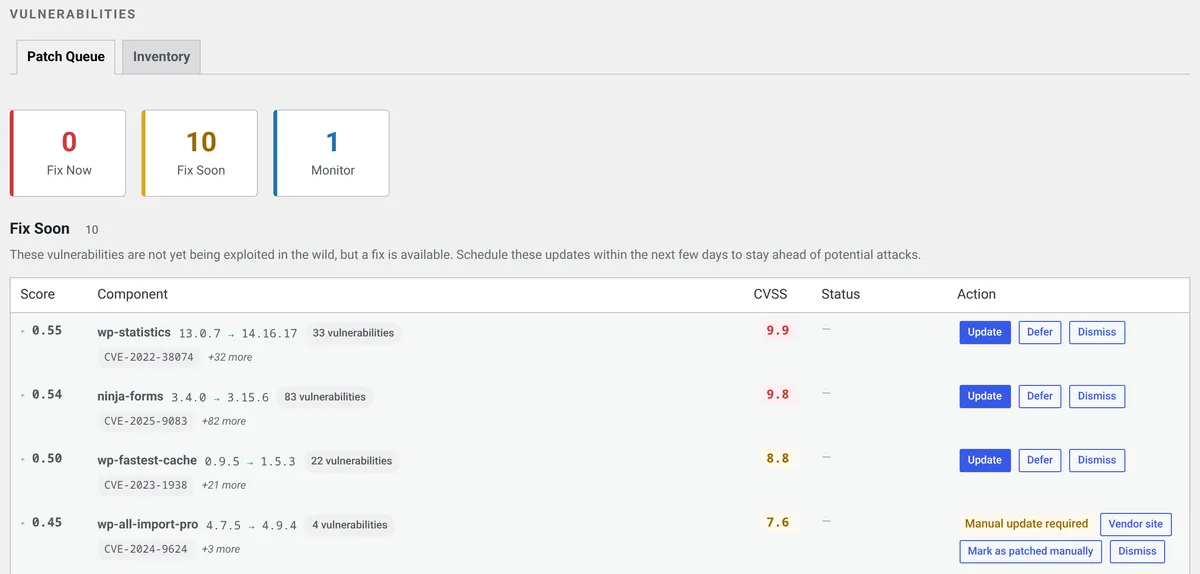
Two honest limits. Fix Now only updates plugins from WordPress.org, so a premium plugin you bought elsewhere still needs a manual update, and theme and core findings show Manual update required in the queue. And when there's no fix yet, Pro has nothing to install. We tell you clearly, and the decision to deactivate is yours.
SecurynAI vs Patchstack, side by side
The short version: Patchstack goes deeper on vulnerabilities, and SecurynAI covers more of the site. Patchstack facts below are from its own pages, checked October 2026. SecurynAI facts are from our plugin code.
| What you need | Patchstack | SecurynAI |
|---|---|---|
| Alerts for vulnerable plugins, themes and core | Free | Free |
| Where the vulnerability data comes from | Its own database (also a CVE issuer) | wpvulnerability.net, or Wordfence Intelligence with a free key |
| Virtual patches for one specific known flaw | Paid | No |
| Updating vulnerable plugins | Remote updates from the Patchstack App | Pro auto-update, rolled back if it fails |
| General firewall rules (SQL injection, XSS and similar) | Not in free | Free (Monitor mode until you switch to Block) |
| Login brute-force lockouts, core file checks, role-change alerts | Not covered here | Free |
| Malware signature check of PHP files | Not covered here | Free, detect only (no cleanup) |
| Plain-English explanation of each finding | Vulnerability reports | Free, every finding type |
| One dashboard for many sites | Yes (3 sites on the free plan) | No, each site on its own |
| Paid price | Developer plan $69/month, billed annually | Pro $79 per site per year |
A note on the firewall row. Our free firewall ships 13 rules for common attack shapes, such as SQL injection, cross-site scripting and path traversal. It starts in Monitor mode, which logs matches without blocking. Switch it to Block to enforce the rules, along with automatic brute-force lockouts. These are general rules, not virtual patches for one plugin's flaw.
On the malware row: the free daily file scan checks every PHP file under wp-content against 13 malware signatures bundled with the plugin, with no live feed. It also flags clearly obfuscated code, such as a decoder fed straight into eval. It raises a finding and stops there. Cleanup is up to you.
"Not covered here" means we didn't find those features in the Patchstack pages we checked, not that Patchstack can't do them. If login protection or malware checks matter to you, ask Patchstack directly.
Which should you choose: SecurynAI or Patchstack?
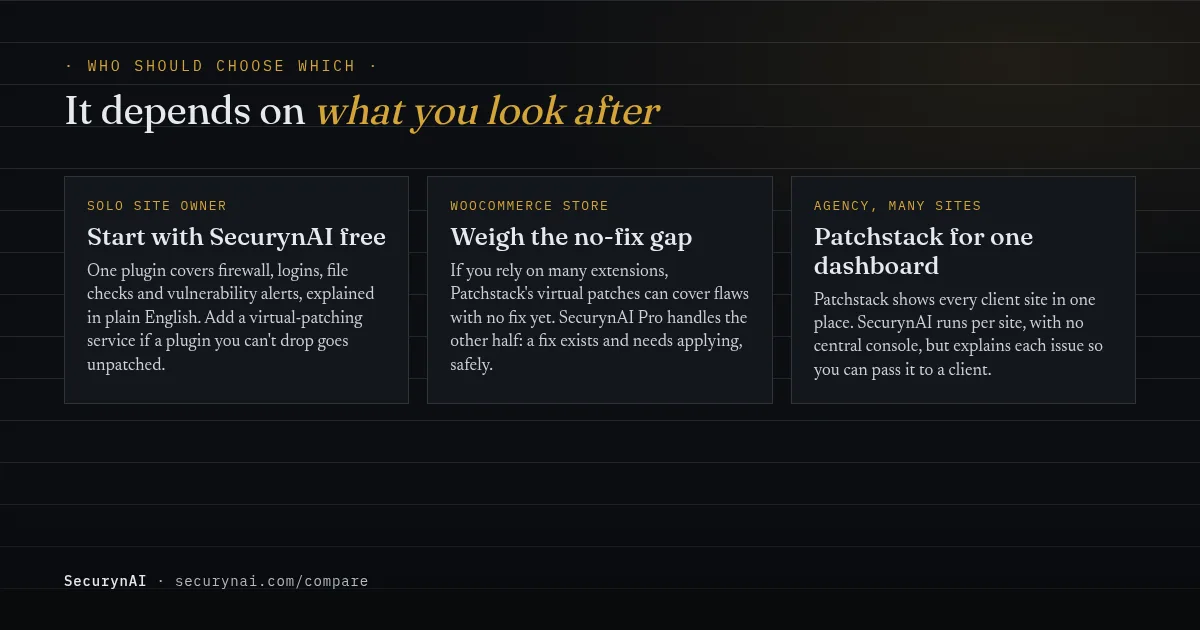
It depends less on which tool is better and more on what you look after. Here's how we'd decide for the three readers we hear from most.
If you run one site yourself
Start with one plugin that covers the basics. The free SecurynAI plugin gives you vulnerability alerts, a firewall, login lockouts and file checks, each explained in plain English. If a plugin you can't live without goes unpatched for weeks, that's the moment a virtual-patching service earns its price.
If you run a WooCommerce store
A store usually leans on more extensions, and each one is code that could have a flaw. If a few days of exposure on a checkout plugin would worry you, Patchstack's virtual patching is a real advantage. If you mostly want fixes applied quickly and safely, SecurynAI Pro's Fix Now with rollback covers that, on top of whole-site checks.
If you look after client sites
Patchstack's App shows every client site in one dashboard, and that's a genuine strength we don't match today. SecurynAI runs per site, with no central console. What we offer agencies is the explaining: each finding comes with words you can forward to a client. Our playbook on managing 30+ client sites covers the rest.
Can you run both?
Yes, if you split the jobs. Patchstack's own FAQ says "we recommend using as few security plugins as possible and avoiding overlapping features." So don't run two alert feeds. Databases disagree: in one Kirki support thread, a fixed plugin was still flagged by a scanner using a different database.
A user in a Post SMTP thread asked a plain question after a Patchstack alert: "do you intend to fix it?" That's the right instinct, whichever tool sent the alert. Check the plugin's changelog first, then decide.
Quick check: what do you actually need?
- Do you run a plugin that has had a flaw with no fix for more than a few days?
- Do you look after more than three sites and want them in one dashboard?
- Do you also want a firewall, login protection and file checks in the same plugin?
- Would plain-English explanations save you time with clients or yourself?
Yes to 1 or 2 points toward Patchstack. Yes to 3 or 4 points toward SecurynAI. Yes to both groups is common, and it's where running both, with one alert source, makes sense. Our WordPress hardening checklist covers the basics neither tool replaces, like backups and updates.
Want to see how other tools compare? Read SecurynAI vs Wordfence, or check for a new admin user you didn't create if you think a flaw was used before you patched.
SecurynAI vs Patchstack FAQ
Does SecurynAI do virtual patching?
No. SecurynAI's firewall uses general rules for common attack patterns, not rules written for one specific plugin flaw. When a vulnerable plugin has no fix yet, we tell you and leave the decision to deactivate it with you. If you need a shield for unpatched flaws, that's what Patchstack's paid plans are built for.
Is Patchstack free?
Partly. The Patchstack plugin on WordPress.org has a free version that alerts you to vulnerable plugins, themes and core, and Patchstack's docs describe a free Personal plan with 3 site slots. Virtual patching is paid. The pricing page lists the Developer plan at $69 a month, billed annually.
Does Patchstack include a firewall?
Not in the free version. Patchstack's WordPress.org FAQ says plainly that the free version does not include a firewall. On paid plans, its virtual patching works a lot like a firewall that only carries rules for the flaws on your site.
Can I run SecurynAI and Patchstack together?
You can, but don't double up on the same job. Patchstack itself recommends using as few security plugins as possible and avoiding overlapping features. If you pair them, pick one source of vulnerability alerts so two databases don't send you mixed messages.
Weighing your options? Start free, and see what Pro's Patch Queue and safe auto-updates add before you pay anything.
Compare Free and Pro →