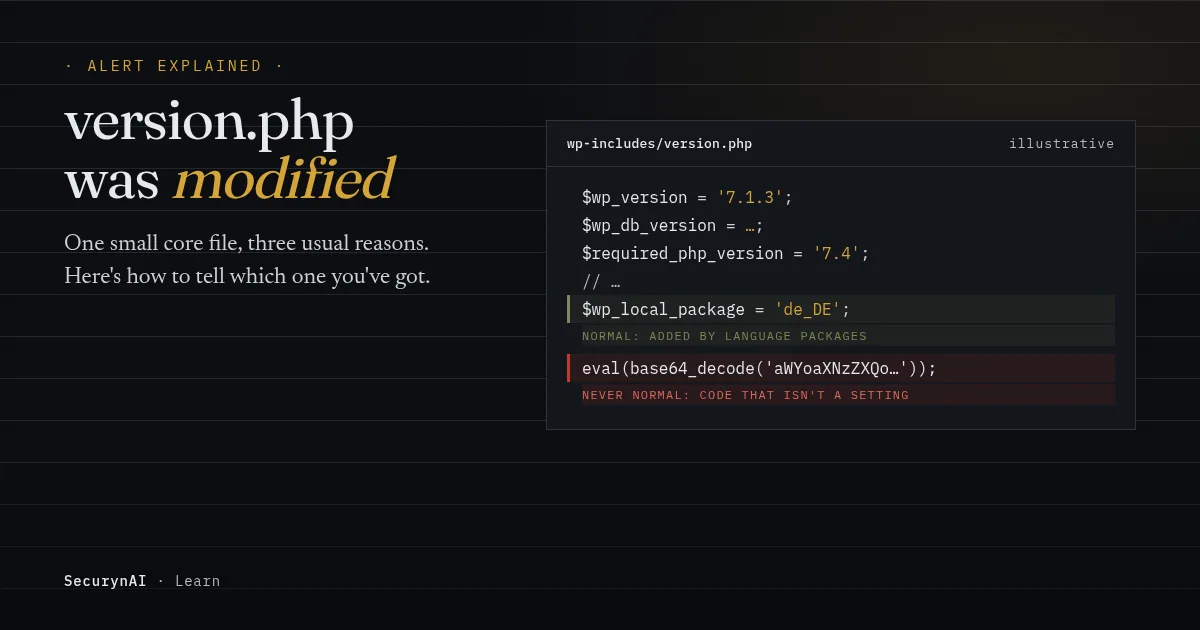
wp-includes/version.php is the small WordPress core file that records which version of WordPress you're running. A "modified" alert means it no longer matches the official copy published on WordPress.org. That's a version.php checksum mismatch, and on its own it doesn't tell you who changed it or why.
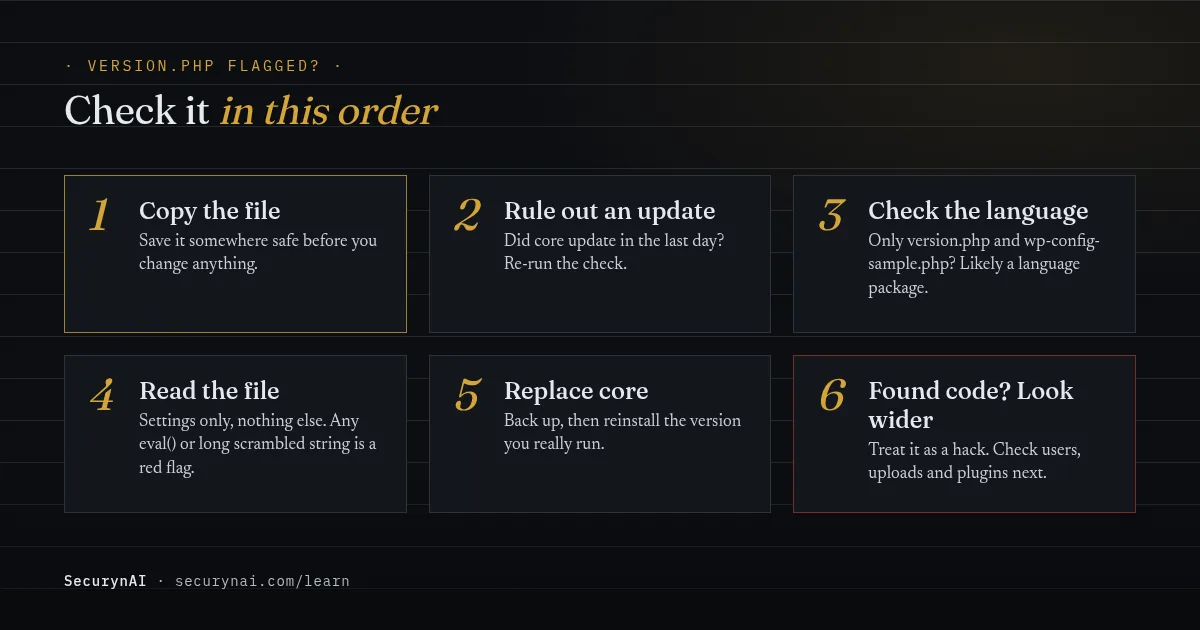
Before you touch anything, save a copy of the file as it is now. You'll want it if this turns out to be a hack. Then work through the checks below.
What does wp-includes/version.php actually do?
It holds a handful of settings and nothing else. Here's what the real file looks like in WordPress 7.1.3, trimmed to the lines that matter:
$wp_version = '7.1.3';
$wp_db_version = ...;
$tinymce_version = '...';
$required_php_version = '7.4';
$required_mysql_version = '5.5.5';
$wp_local_package = 'de_DE';   // only in non-English downloads
That version number gets used in a lot of places, which is why this file matters more than its size suggests. WordPress reads it when it asks WordPress.org whether an update is available. It also prints it in the generator tag in your page source, and security tools use it to look up known flaws for your version.
WordPress's own developer docs admit people tamper with this value. The note on wp_get_wp_version() says "some plugins modify the global in an attempt to improve security through obscurity," so core re-reads the file whenever it needs the real number.
Why version.php shows up as modified
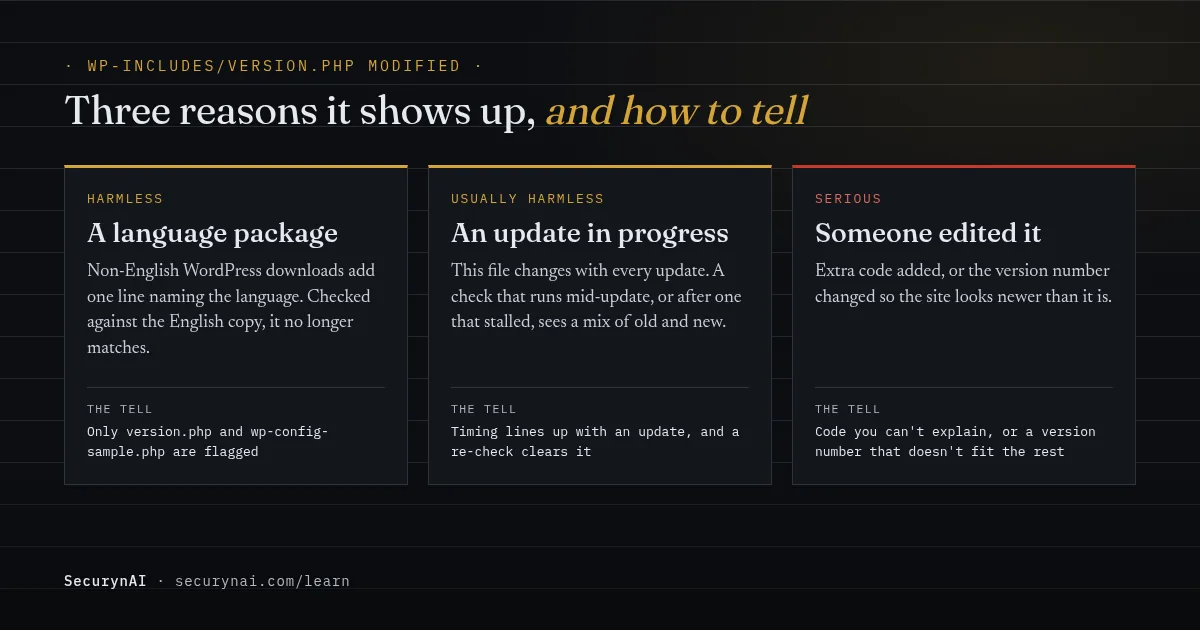
There are three usual reasons. Two are harmless, and the list of flagged files usually tells you which one you've got.
| Cause | What you'll see | What to do |
|---|---|---|
| A language package | Only version.php and wp-config-sample.php flagged. The extra line names a language, like de_DE. | Re-check against your package language. Nothing to fix. |
| An update in progress, or one that stalled | Flagged around the time core updated, often with other core files | Let the update finish, then run the check again |
| Someone edited it | Code that isn't a setting, or a version number that doesn't fit your other files | Treat it as a hack. Steps below. |
The language case catches a lot of people. We compared WordPress 7.1.3's German checksums with the English ones, and outside wp-content only three files differ: version.php, wp-config-sample.php and a German-only readme. Check a German site against English checksums, and the first two "fail".
It's a long-running complaint. In a WordPress.org thread on a version.php alert, a site owner got "a critical warning a core file has changed" on every scan. Wordfence's support team replied: "This is a known issue, for local language packages."
Another plugin author gave the same answer in a thread about version.php and wp-config-sample.php failing checksums, saying it "might occur with a localized version of WordPress." Even the WP-CLI docs show version.php failing when the locale is wrong.
Is a modified version.php actually dangerous?
Only if someone changed it on purpose. If they did, assume they had a way into your site, and that version.php isn't the only thing they touched. There are two ways an edit here can hurt you.
Injected code runs on every page
WordPress loads this file every time it starts up, so any PHP slipped into it runs on every request. A genuine version.php contains only the settings shown above. A line with eval(), base64_decode(), include or a long scrambled string is never normal here.
A changed number hides missing updates
If the version number is raised, WordPress's update check reports the wrong version, so the dashboard may stop offering updates you need. Tools that look up known flaws by version, ours included, are fooled the same way. The site looks current while running old code.
For perspective, core itself is rarely the way in. Patchstack's State of WordPress Security in 2026 report counted only 6 core vulnerabilities in 2025, all low priority, out of 11,334 across the ecosystem. 91% were in plugins. So a tampered core file usually means someone got in another way first.
Staying current still matters. In October 2026, WordPress.org's version statistics showed about 62% of sites on 7.1, so roughly 38% were on an older major release. A lying version.php hides which group you're in.
How to check a modified version.php yourself
Look first, change things later. Steps 1 to 4 only read. The commands need SSH access and WP-CLI. If you don't have them, your host can usually run them for you.
1. Rule out an update
Did WordPress update in the last day? If so, let it finish and run the check again. A check that ran mid-update is the easiest false alarm to clear.
2. Check your package language
wp core version --extra
wp core verify-checksums --locale=de_DE
The first command shows your version and package language. Use that language in the second, swapping out de_DE. If everything now verifies, it was the language mismatch, and you're done.
3. Read the file
Open wp-includes/version.php in a text editor. You should see the settings shown earlier and comments, nothing more. If you see code you can't explain, stop here and jump to step 5.
4. Test whether the version number is honest
wp core verify-checksums --version=7.1.3 --locale=en_USWP-CLI accepts a version you name instead of the one the site reports. If only version.php fails against your real version, the number in it was changed. If dozens of files fail, you may be on a different version than you think.
5. Replace core with a clean copy
Back up your files and database first. Then reinstall from Dashboard → Updates → Re-install now, which the WordPress docs describe as reinstalling the current version. Don't hand-edit version.php back. That hides the change without closing whatever let it happen.
One catch: "Re-install now" uses the version the site reports, which is the number in version.php. If step 4 showed that number is wrong, use wp core download with --version and --locale set to your real values instead.
If you found code, look wider
Treat it as a hacked site. Check for admin users you didn't create, look for a webshell left behind as a way back in, and work through the malware removal guide. If you look after the site for a client, our playbook on explaining a hack to a client helps with that conversation.
How SecurynAI checks version.php
We at SecurynAI don't treat version.php as a special case. The free plugin checks it the same way it checks every file in wp-admin, wp-includes and the WordPress root: against the official WordPress.org checksums, on a daily schedule by default.
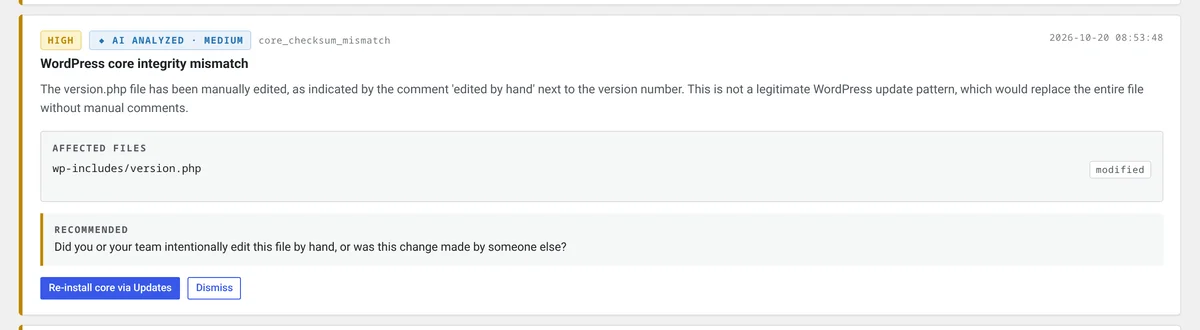
A mismatch raises a high-severity "WordPress core integrity mismatch" finding. It lists the affected files and links to the Updates screen, where the Re-install button lives. It doesn't change anything on its own. If you've added an AI key, you also get a plain-English read on whether the change looks like an update or tampering.
Two details affect how you read a SecurynAI alert:
- It checks against the language you installed. That's read from the language line in version.php, the same way WP-CLI does it. So a language package isn't flagged, and switching your site language later doesn't trigger it.
- It uses the version your site reports. If that number was raised to another real release, you'll see a long list of mismatched core files rather than just version.php. If it was set to a version that doesn't exist, you'll see "WordPress.org checksums unavailable" instead.
On Pro ($79 per site per year), SecurynAI can restore changed core files from the official WordPress source, but only when you choose to apply it. Unlike most Pro fixes, it has no undo, since undoing it would put the changed file back. A copy is kept so you can still inspect it. Neither version replaces backups or updates.
version.php modified: FAQ
Is a modified version.php a false positive?
Often, yes. A non-English WordPress download, or a check that ran during an update, both flag this file without anything being wrong. It stops being a false positive when the file contains code that isn't a plain setting, or a version number that doesn't match your other core files.
Can I just edit version.php back to the right number?
Don't. If someone changed the file, they had a way in, and fixing one line hides that without closing it. Replace core with a fresh copy of the version you actually run, and save the changed file first so you can see what was done.
Does hiding my WordPress version change version.php?
It shouldn't. Version-hiding usually removes the version from your page source, or changes the value in memory, and leaves the file alone. WordPress's own docs note that some plugins change the version value for security through obscurity, which is why core reads the file directly when it needs the real number.
Why is version.php flagged after I changed my site language?
Language packages ship a slightly different version.php and wp-config-sample.php. If the language your site is set to doesn't match the package it was installed from, a checksum check compares against the wrong copy. If those two files are the only ones flagged and contain nothing but settings, that's very likely the cause.
Want a wider view of core file alerts? Our guide to a core file that was silently altered covers the rest of wp-includes, and the automatic updates guide helps keep the version number honest the easy way.
Just want to know when a core file changes, and whether it matters? The free plugin checks every core file against the official copy each day.
Install free →