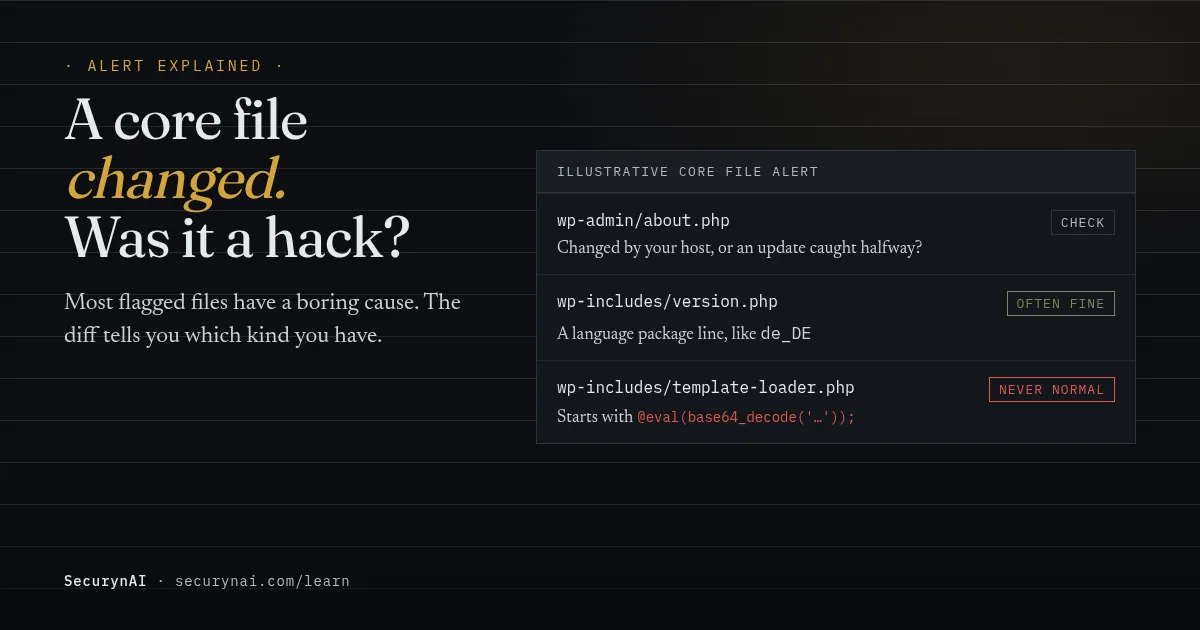
A "WordPress core file modified" alert means a file in wp-admin, wp-includes or the WordPress root no longer matches the official copy for your version. That's a core checksum mismatch. It tells you a file changed. It doesn't tell you who changed it or why.
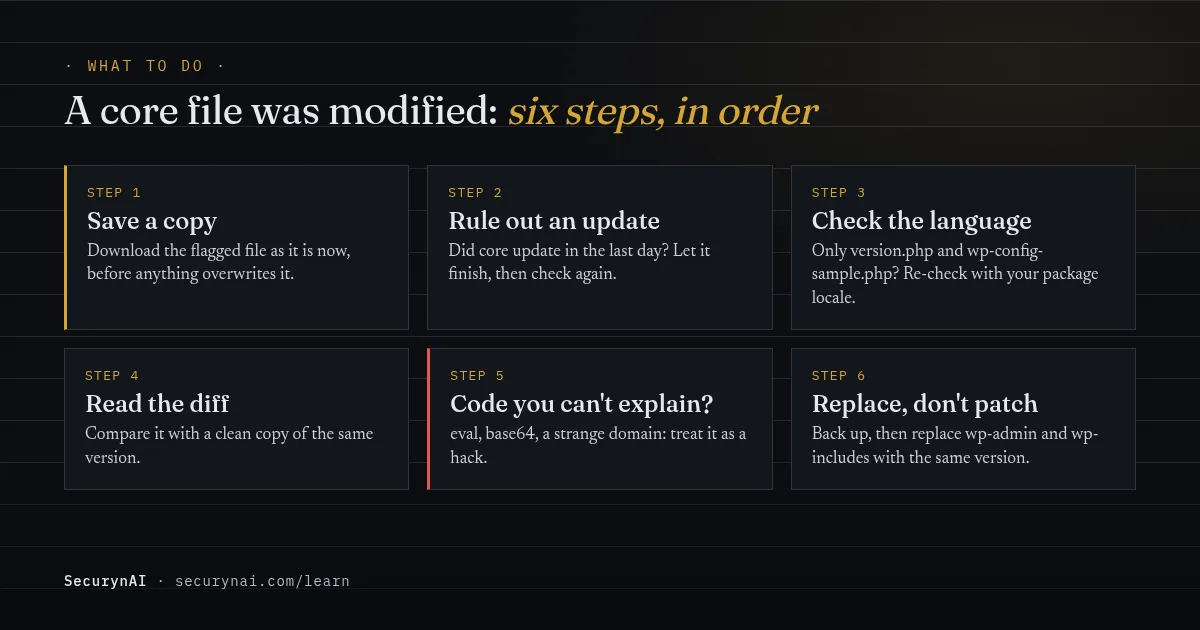
So don't reinstall anything yet. First, download a copy of each flagged file as it is now. If this turns out to be a hack, that copy is your only record of what the attacker did. Then work through the checks below, in order.
Is a modified core file always a hack?
No. Core files should never change outside an update, but plenty of harmless things break that rule. The cause is usually visible in which files are flagged and what changed inside them.
| Cause | What you'll see | Worry level |
|---|---|---|
| An update caught halfway | Many files flagged around the time core updated | Low. Let it finish, then check again. |
| A language package | Only version.php and wp-config-sample.php | Low. See our version.php guide. |
| Your host or a developer | Readable code, often on a fresh install | Medium. Ask who changed it. |
| An attacker | Scrambled code, eval, or a domain you don't know | High. Treat it as a hack. |
Hosts do this more than you'd think. In a WordPress.org thread about five flagged core files, Wordfence's support team said GoDaddy "appear to have modified 5 WordPress core files" on its Managed WordPress hosting. Several other site owners reported the same five files.
Not every change is sinister, either. In another thread about ten modified files, a forum moderator looked at the differences and said, "it doesn't look malicious either." His advice still was to replace the core files with a fresh copy, and an update cleared the alert.
What does a malicious core file change look like?
Attackers edit core files because WordPress loads them on every page, and almost nobody reads them. A line slipped into the right file runs for every visitor, and the site can look perfectly normal to you.
The best-known example is SoakSoak. In December 2014, WP Tavern reported Sucuri's finding that more than 100,000 WordPress sites were hit, and over 11,000 domains were blacklisted by Google. The malware modified wp-includes/template-loader.php to load a malicious script on every page.
When people started watching that file, the attackers moved. A week later, Threatpost reported they had switched to editing wp-includes/js/json2.min.js instead. And the way in was never core. It was a flaw in the Slider Revolution plugin.
That pattern still holds. Patchstack's State of WordPress Security in 2026 report counted 11,334 new WordPress vulnerabilities in 2025. Only 6 were in core, all low priority, and 91% were in plugins. A tampered core file is usually where an attack ends up, not where it started.
In the file itself, injected code tends to look out of place. Here's a defanged example of the shape to look for:
<?php @eval(base64_decode('aWYoaXNzZXQoJF9QT1NUW3...'));Real WordPress core doesn't do this. A long scrambled string, eval(), base64_decode(), gzinflate() or a web address you don't recognise near the top of a core file is never normal.
How to check a modified core file yourself
Look first, change things later. These steps only read. The commands need SSH and WP-CLI. If you don't have either, your host can usually run them for you.
1. Rule out an update
Did WordPress core update in the last day, automatically or by hand? A check that ran mid-update is the easiest false alarm to clear. Let the update finish, then run the check again.
2. Run WordPress's own checksum check
wp core verify-checksumsThe verify-checksums command compares every core file with WordPress.org's list and names each one that fails. It "avoids loading WordPress" while it runs, so a tampered file can't interfere. If only version.php and wp-config-sample.php fail, add --locale with your package language.
3. Compare the file with a clean copy
wp core download --path=/tmp/wp-clean --version=7.1.3 --locale=en_US --skip-content
diff wp-includes/template-loader.php /tmp/wp-clean/wp-includes/template-loader.php
This downloads a fresh copy of your exact version into a separate folder, away from your live site. Then diff shows the lines that differ. Whitespace changes are minor. An added statement you can't explain is not.
How to fix a modified WordPress core file
Replace core, don't patch it. Back up your files and database first. Then put back a clean copy of the same version you run, because a newer or older one can break the site.
If the cause was harmless, Dashboard → Updates → Re-install now is fine. The WordPress docs describe it as reinstalling the current version. wp core download --force does the same from the command line.
If it was a hack, go further. WordPress.org's hacked-site FAQ warns against the dashboard reinstall here, because installers "often only overwrite existing files, and hacks often introduce new files." Delete and replace the whole wp-admin and wp-includes folders instead.
Then look wider
Whoever edited core had a way in, and it's probably still open. Change every password, including hosting, SFTP and database. Check for admin users you didn't create, look for a webshell left behind, and update every plugin and theme. Our malware removal guide covers the full cleanup.
If you look after the site for a client, tell them what changed and what you did, in plain words. Our playbook on explaining a hack to a client helps with that conversation.
What a core checksum check can't see
A clean core result is good news, but it isn't a clean bill of health. The official checksum list only covers files WordPress ships, so some places are always out of view.
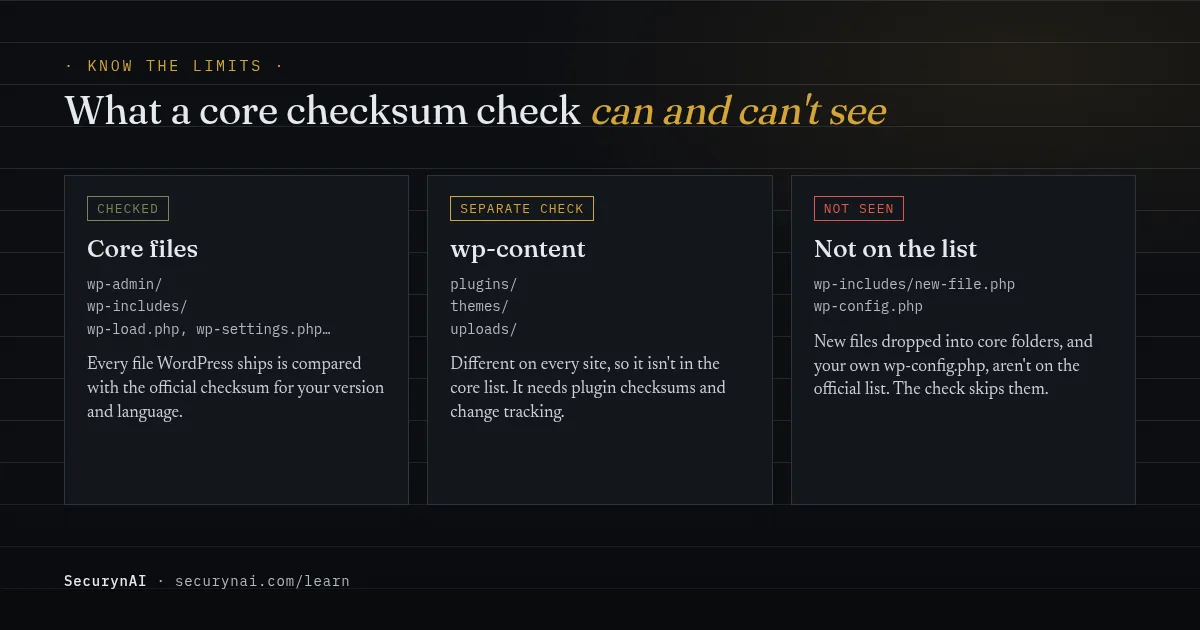
- wp-content. Your plugins, themes and uploads are different on every site, so they aren't on the core list. They need their own checks.
- New files in core folders. A file dropped into
wp-includesisn't on the list, so a check that only compares listed files won't notice it. - wp-config.php. It's unique to your site, so it's never on the list either.
How SecurynAI checks your core files
We at SecurynAI run this check for you. The free plugin compares every file in wp-admin, wp-includes and the WordPress root against the official WordPress.org checksums, once a day.
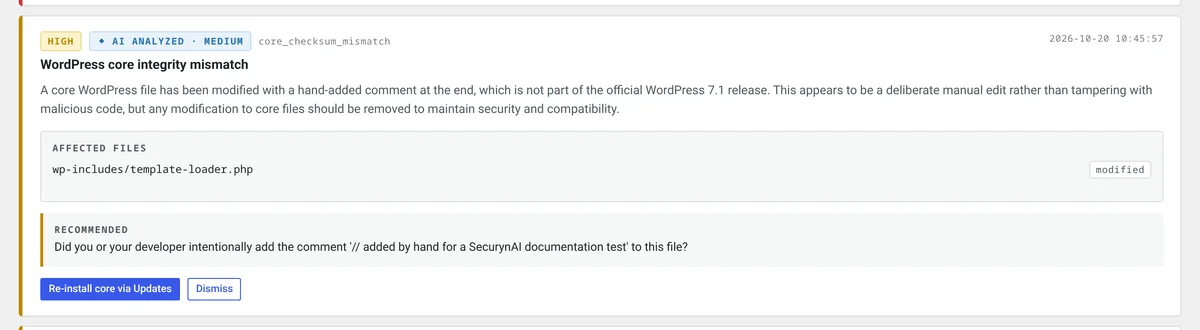
It checks against the language package you installed, the same way WP-CLI does, so a non-English site isn't flagged by mistake. A mismatch raises a high-severity "WordPress core integrity mismatch" finding. It lists the modified and missing files, with a button to the Updates screen. It never changes files on its own.
If you've added an AI key, you also get a plain-English read on whether the change looks like an update or tampering. If WordPress.org can't be reached, you get a separate, medium-severity "WordPress.org checksums unavailable" finding. That means "couldn't check", not "all clear".
For wp-content, the free plugin compares WordPress.org plugins with their official checksums and tracks changes to PHP files. A file that changes without a matching version update is flagged. Our core check doesn't look for new files added to core folders, though, which is one more reason to replace the folders after a hack.
On Pro ($79 per site per year), SecurynAI can restore up to 10 modified core files from the official WordPress source. Each download is checked against the official checksum before it's written, and a file that doesn't match is left as it is.
By default each restore waits in your approval queue until an admin approves it. It has no undo, since that would put the bad file back, but a copy is kept for you to inspect.
Neither version replaces backups or updates.
Core file modified: FAQ
Can I just delete the bad line from the core file?
Don't. You might miss a second change, and it leaves whatever let the attacker in wide open. Save a copy of the file for reference, then replace wp-admin and wp-includes with a clean copy of the same WordPress version.
Does reinstalling WordPress delete my content?
No. Posts, pages and settings live in the database, and your themes, plugins and uploads live in wp-content. Replacing wp-admin and wp-includes leaves both alone. Back up first anyway, because a hacked site is not the place to find out a step went wrong.
Why does my security plugin say core files changed on a brand-new site?
Usually because the host or installer changed them, or the site was installed in a language other than US English. Compare the flagged files with a fresh download of the same version and language. If the difference is plain and readable and your host confirms it, it isn't a hack.
If the core check comes back clean, is my site clean?
No. A core checksum check only compares the files WordPress ships. It doesn't look at plugins, themes, uploads or wp-config.php, and it may not notice new files added to core folders. Most hacks start in a plugin, so check those too.
Want fewer of these alerts in the first place? Our automatic updates guide and WordPress hardening checklist close the plugin holes most core edits start from.
Would you rather hear about a changed core file the day it happens? The free plugin checks every core file against the official copy each day.
Install free →